
Photo smoothing has become an essential technique in professional image retouching, transforming how photographers and editors approach skin enhancement and texture refinement. This process involves carefully reducing imperfections while maintaining natural appearance, a balance that separates amateur edits from professional work. As digital photography continues to evolve, understanding the nuances of photo smoothing helps professionals deliver results that meet client expectations without creating artificial-looking images.
Understanding Photo Smoothing Fundamentals
Photo smoothing encompasses multiple techniques designed to reduce visual noise, minimize skin imperfections, and create polished imagery while preserving essential details. The core principle involves selectively reducing texture variation in specific areas without eliminating the natural character that makes portraits appear authentic.
Modern photo smoothing extends beyond simple blur filters. Professional retouchers employ sophisticated methods that distinguish between desirable texture (such as skin pores and natural facial features) and unwanted elements like blemishes, uneven tones, or temporary imperfections. This distinction requires both technical knowledge and artistic judgment.
Technical Approaches to Smoothing
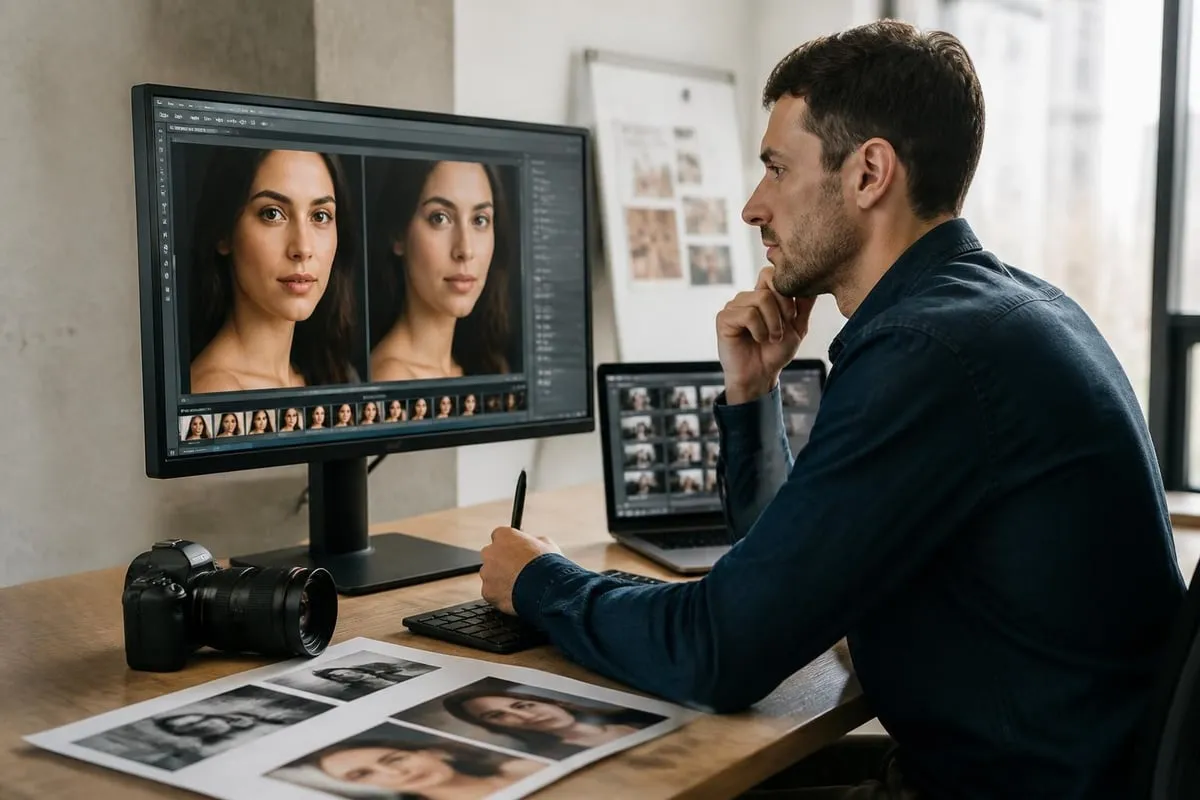
Several technical methodologies power effective photo smoothing workflows. Frequency separation stands as one of the most powerful techniques, allowing editors to work independently on color information and texture details. This method preserves skin texture while addressing color variations, creating natural-looking results that maintain skin authenticity.
Gaussian blur combined with layer masking provides another approach, offering precise control over which areas receive smoothing treatment. By adjusting blur radius and opacity, retouchers can achieve varying degrees of smoothness appropriate to each image's requirements.
Advanced algorithms incorporating edge detection ensure that critical boundaries remain sharp while smoothing interior regions. These edge-preserving techniques have revolutionized professional retouching by automating aspects of the selection process.
| Technique | Best For | Skill Level | Natural Results |
|---|---|---|---|
| Frequency Separation | Professional portraits | Advanced | Excellent |
| Gaussian Blur + Masking | Quick touch-ups | Intermediate | Good |
| AI-Powered Smoothing | High-volume workflows | Beginner-Intermediate | Very Good |
| Manual Healing/Cloning | Targeted corrections | Advanced | Excellent |
Professional Photo Smoothing Workflow
Implementing a systematic workflow ensures consistent, high-quality results across multiple projects. Professional retouchers begin by assessing each image's unique requirements, considering factors like intended use, subject matter, and client preferences.
The initial step involves creating a non-destructive editing environment. Working with duplicate layers or smart objects protects original image data, allowing editors to refine adjustments without permanently altering source files.
Calibration and Assessment
Before applying any smoothing techniques, professionals evaluate the image at 100% magnification to identify specific areas requiring attention. This detailed examination reveals:
- Temporary skin imperfections requiring removal
- Areas with uneven texture or tone
- Regions where natural texture should be preserved
- Boundaries between different facial features
Strategic planning at this stage prevents over-editing and ensures the final result maintains photographic integrity. Many retouching professionals emphasize spending adequate time on assessment to reduce correction time later.
Application and Refinement
The application phase requires careful attention to smoothing intensity and coverage. Excessive smoothing creates the undesirable "plastic" appearance that marks amateur retouching work. Professional results maintain subtle variations that preserve three-dimensional depth and realistic skin appearance.
Retouchers typically work in multiple passes, building smoothing effects gradually rather than applying heavy corrections in a single step. This incremental approach provides better control and allows for continuous evaluation throughout the process.
Blending modes and opacity adjustments fine-tune the final effect, ensuring smoothing integrates seamlessly with surrounding areas. Edge transitions receive special attention to prevent visible boundaries between treated and untreated regions.
Industry-Specific Photo Smoothing Applications
Different photography sectors require distinct smoothing approaches tailored to their unique requirements. Understanding these variations ensures appropriate treatment for each project type.
Portrait and Fashion Photography
Portrait work demands the highest level of sophistication in photo smoothing techniques. Fashion photographers and studios require smoothing that enhances skin appearance while maintaining authentic texture that demonstrates makeup application and skin quality. The approach differs significantly between beauty close-ups (requiring meticulous detail) and full-body fashion shots (allowing more aggressive smoothing).
Professional portrait retouchers often employ carefully selected techniques based on shooting conditions, lighting quality, and final output requirements. Editorial work typically maintains more visible texture compared to commercial advertising.
Product and Commercial Photography
Product photography presents different smoothing challenges, particularly when photographing items with reflective or textured surfaces. Ecommerce photo editing frequently requires smoothing to eliminate dust, scratches, or surface irregularities that distract from product presentation.
Maintaining consistent smoothing standards across product lines ensures cohesive catalog presentation. Automated smoothing workflows benefit high-volume ecommerce operations, though quality control remains essential to catch over-processing or artifacts.
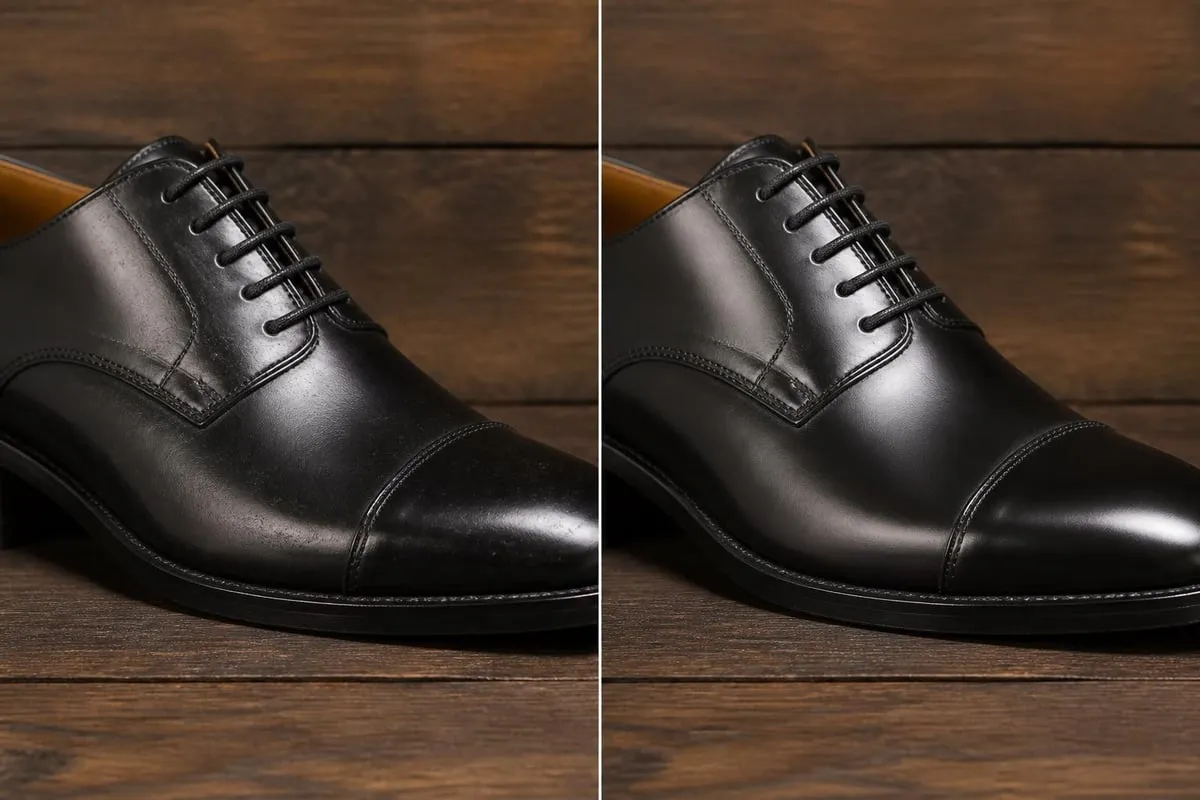
For businesses managing large product catalogs, professional services streamline the editing process while maintaining quality standards. Ecommerce Photo Editing services provide specialized smoothing tailored to online retail requirements, ensuring products appear pristine without looking artificially processed.
Software and Tools for Photo Smoothing
The software landscape for photo smoothing continues expanding, offering solutions ranging from simple one-click tools to sophisticated professional platforms with granular control.
Adobe Photoshop Capabilities
Adobe Photoshop remains the industry standard for professional photo smoothing, providing comprehensive tools that support advanced techniques. The software's healing brush, clone stamp, and blur tools form the foundation of manual smoothing workflows, while features like frequency separation enable sophisticated texture management.
Recent Photoshop versions incorporate neural filters powered by artificial intelligence, automating aspects of skin smoothing while attempting to maintain natural appearance. These AI-assisted tools accelerate workflow but still require professional oversight to ensure quality results.
Lightroom and Alternative Solutions
Adobe Lightroom offers streamlined smoothing capabilities suitable for photographers managing large image volumes. The software's texture and clarity sliders provide quick adjustments, though they lack the precision of Photoshop's layer-based approach.
Alternative platforms including Capture One, Affinity Photo, and specialized portrait retouching software each bring unique strengths to photo smoothing workflows. Selection often depends on existing workflow integration, budget considerations, and specific feature requirements.
| Software | Smoothing Approach | Learning Curve | Best Use Case |
|---|---|---|---|
| Adobe Photoshop | Layer-based manual control | Steep | Professional retouching |
| Adobe Lightroom | Global and local adjustments | Moderate | High-volume processing |
| Capture One | Advanced color and tone control | Moderate-Steep | Professional photography |
| Portrait-specific tools | AI-assisted automation | Gentle | Quick portrait enhancement |
Technical Considerations and Quality Control
Maintaining quality standards throughout the photo smoothing process requires attention to multiple technical factors that impact final image quality.
Resolution and Detail Preservation
Working resolution significantly impacts smoothing effectiveness and final image quality. Professional workflows maintain maximum resolution throughout editing, only downsampling for final delivery. This approach preserves flexibility for future use and ensures smoothing effects scale appropriately.
Detail preservation requires careful balance between smoothing strength and visible texture retention. Advanced smoothing algorithms analyze spatial frequency information to selectively reduce noise while preserving important details like eyelashes, hair, and skin texture.
Color Space and Bit Depth
Professional photo smoothing workflows operate in appropriate color spaces (typically ProPhoto RGB or Adobe RGB) with sufficient bit depth (16-bit) to prevent banding and posterization during adjustment. These technical specifications ensure smooth tonal transitions and preserve color accuracy throughout the editing process.
Converting to standard RGB (sRGB) occurs only after completing all adjustments, preserving maximum color information during the creative process. This workflow supports subsequent adjustments if clients request revisions.
Quality Assurance Methods
Systematic quality control catches common smoothing errors before final delivery:
- Reviewing images at multiple magnifications
- Checking for unnatural texture transitions
- Verifying consistent treatment across image series
- Comparing against client-provided reference images
- Testing output appearance across different display devices
Professional retouching services implement multi-stage review processes, often involving separate editors for initial retouching and quality verification. This division of responsibility helps maintain objective assessment and consistent quality standards.
Advanced Photo Smoothing Techniques
Professional retouchers employ specialized techniques that elevate results beyond basic smoothing applications. These advanced methods require deeper technical knowledge but deliver superior outcomes for demanding projects.
Frequency Separation Mastery
Frequency separation divides image information into high-frequency detail (texture) and low-frequency information (color and tone). This separation enables independent manipulation of each component, allowing retouchers to address color irregularities without affecting skin texture, or smooth texture while preserving color variations.
Advanced practitioners use multiple frequency layers at different radius settings, targeting specific texture scales. This multi-layer approach provides unprecedented control over which texture elements remain visible and which get reduced.
Dodge and Burn Integration
Combining photo smoothing with dodge and burn techniques creates dimensional, natural-looking skin. While smoothing reduces texture variation, dodging and burning enhance three-dimensional form through selective lightening and darkening. This combination prevents the flat appearance that sometimes results from smoothing alone.
Professional portrait retouchers spend significant time on dodge and burn work, building form and dimension that complement smoothing adjustments. The techniques work synergistically, with smoothing creating an even foundation for dimensional enhancement.
AI and Machine Learning Applications
Artificial intelligence has transformed photo smoothing capabilities, particularly for high-volume workflows. Modern AI systems analyze facial structure, identify skin regions automatically, and apply context-appropriate smoothing without manual masking. These systems learn from vast datasets of professionally retouched images, approximating human decision-making.
However, AI smoothing still requires professional oversight. Automated systems occasionally miss important details or apply inappropriate smoothing to specific regions. The most effective workflows combine AI efficiency with human refinement, leveraging automation for initial processing while retouchers handle quality control and artistic decisions.
Businesses seeking to optimize their digital presence while maintaining quality standards might explore SEO automation tools like RankPill for content strategy, complementing their visual presentation with strong online visibility.
Common Photo Smoothing Mistakes and Solutions
Even experienced retouchers occasionally encounter challenges with photo smoothing. Recognizing common pitfalls helps prevent quality issues and maintain professional standards.
Over-Smoothing and Texture Loss
The most prevalent mistake involves excessive smoothing that eliminates natural skin texture, creating artificial-looking results. This error typically stems from working at inappropriate magnification levels or applying smoothing without proper masking. Solutions include:
- Working at 100% magnification to evaluate texture preservation
- Using lower opacity settings and building effects gradually
- Maintaining texture in critical areas like eyelashes and eyebrows
- Comparing smoothed results against reference images of natural skin
Professional photography editing software provides tools for precise control, but restraint remains the retoucher's responsibility.
Inconsistent Treatment Across Images
When retouching series or collections, maintaining consistent smoothing standards ensures cohesive presentation. Inconsistency often results from varying lighting conditions, different shooting sessions, or multiple retouchers working on the same project.
Solutions include establishing clear style guides, using reference images, and implementing systematic workflow processes that ensure similar treatment across all images. Batch processing with careful manual refinement helps maintain consistency in high-volume projects.
Edge Artifacts and Halos
Improper masking or excessive blur radius creates visible edges where smoothed areas meet untreated regions. These artifacts appear as lighter or darker bands along transition zones, immediately identifying amateur retouching work.
Preventing edge artifacts requires:
- Feathering selection edges appropriately
- Using gradual transitions in layer masks
- Matching blur radius to image resolution
- Reviewing results at multiple magnifications
Ethical Considerations in Photo Smoothing
The photo editing industry increasingly recognizes ethical responsibilities regarding beauty standards and realistic representation. Photo smoothing sits at the center of these discussions, as it directly impacts how people perceive appearance and beauty.
Balancing Enhancement and Authenticity
Professional retouchers face ongoing tension between client expectations for flawless imagery and societal concerns about unrealistic beauty standards. This balance requires thoughtful consideration of context, audience, and purpose.
Editorial and journalistic photography typically maintains stricter authenticity standards, limiting smoothing to basic blemish removal. Commercial and advertising work allows more extensive enhancement, though many brands now emphasize "realistic retouching" that maintains natural appearance.
Industry Standards and Guidelines
Various photography and advertising organizations have established guidelines addressing photo manipulation and smoothing. These standards often require disclosure when images undergo significant alteration, particularly in contexts affecting body image perceptions.
Professional retouchers should familiarize themselves with relevant guidelines in their market segments. Transparency about retouching practices builds trust with clients and audiences while contributing to healthier visual culture.
Future Trends in Photo Smoothing Technology
The photo smoothing landscape continues evolving as technology advances and cultural attitudes shift regarding image enhancement and authenticity.
Real-Time Processing Capabilities
Emerging technologies enable real-time photo smoothing during capture, allowing photographers to preview final results before completing shoots. This capability streamlines workflows and helps ensure photographers capture images requiring minimal post-processing.
However, real-time smoothing also raises concerns about over-reliance on post-processing and potential impacts on lighting and composition skills. Balanced approaches that use technology as a tool rather than a crutch will likely prevail.
Adaptive AI Systems
Next-generation AI systems will likely offer context-aware smoothing that adapts to image content, subject age, skin type, and intended use. These systems may learn individual retoucher preferences, automating routine decisions while flagging images requiring special attention.
Integration with comprehensive editing workflows will improve, allowing smoothing decisions to inform and interact with other adjustments like color grading, exposure correction, and creative effects.
Sustainability and Efficiency
As digital workflows expand, efficiency gains from improved smoothing technology reduce energy consumption and processing time. Cloud-based processing and optimized algorithms contribute to more sustainable professional photography practices while maintaining quality standards.
Professional services incorporating these advances help clients achieve results efficiently while maintaining the quality standards that distinguish professional work from amateur efforts.
Photo smoothing represents both a technical skill and an artistic discipline requiring continuous refinement and ethical awareness. By understanding fundamental principles, mastering professional techniques, and maintaining quality standards, retouchers deliver results that enhance images while preserving authenticity. Whether you're managing high-volume ecommerce catalogs or producing premium portrait work, professional expertise ensures your images meet the exacting standards today's markets demand. Photo Editing Company provides comprehensive retouching services that balance technical excellence with artistic sensibility, delivering naturally smoothed images that enhance your visual presentation while maintaining authentic appearance.
Related reading: