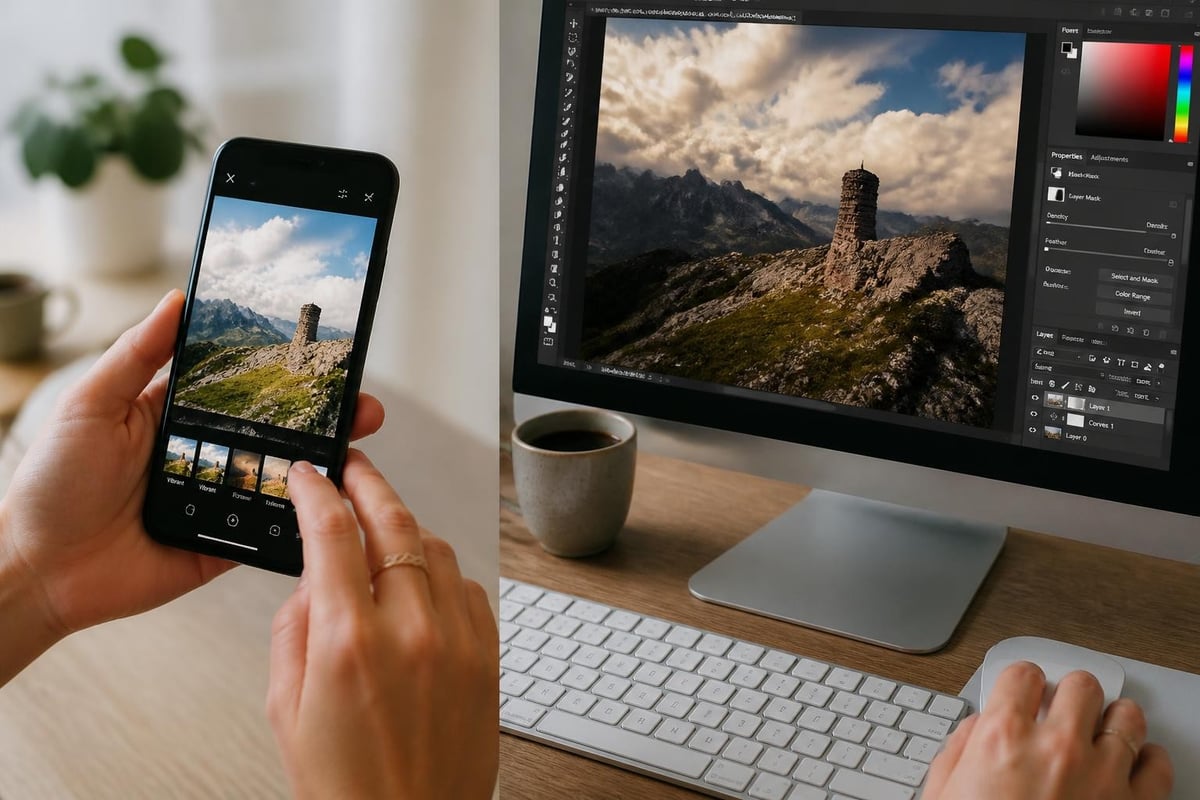
The demand for accessible image editing solutions has transformed how photographers, ecommerce businesses, and creative professionals approach their workflows. JPEG editing online has emerged as a powerful alternative to desktop software, offering convenience, cost-effectiveness, and increasingly sophisticated capabilities. Whether you're a product photographer needing quick adjustments or an ecommerce manager processing hundreds of images, understanding the landscape of browser-based editing tools can significantly impact your productivity and image quality in 2026.
The Evolution of Browser-Based JPEG Editing
Online photo editing has progressed dramatically over the past few years. What began as simple crop-and-filter tools has evolved into comprehensive editing suites that rival desktop applications in functionality. Modern jpeg editing online platforms now support advanced features like layer manipulation, non-destructive editing, and professional-grade color correction.
The shift toward cloud-based solutions reflects broader changes in how businesses operate. Teams distributed across different locations need access to consistent editing tools without managing software installations across multiple devices. Browser-based editors eliminate compatibility issues and ensure everyone works with the same version of the editing platform.
Performance improvements have been critical to this evolution. WebAssembly and improved JavaScript engines allow complex image processing operations to run smoothly in browsers. Modern online editors can handle high-resolution JPEG files that would have overwhelmed browser-based tools just a few years ago.
Technical Advantages of Online JPEG Editors
Processing JPEG files through online platforms offers several distinct advantages. First, these tools require no installation or updates, which reduces IT overhead for businesses. Second, automatic cloud saving protects work from unexpected crashes or computer failures. Third, cross-platform compatibility means you can start editing on a desktop and continue on a tablet.
The accessibility factor cannot be overstated. When team members need to make quick adjustments to product images or marketing materials, they can access editing tools from any device with a browser. This flexibility proves particularly valuable for ecommerce businesses managing large product catalogs across multiple platforms.
Popular Platforms for JPEG Editing Online
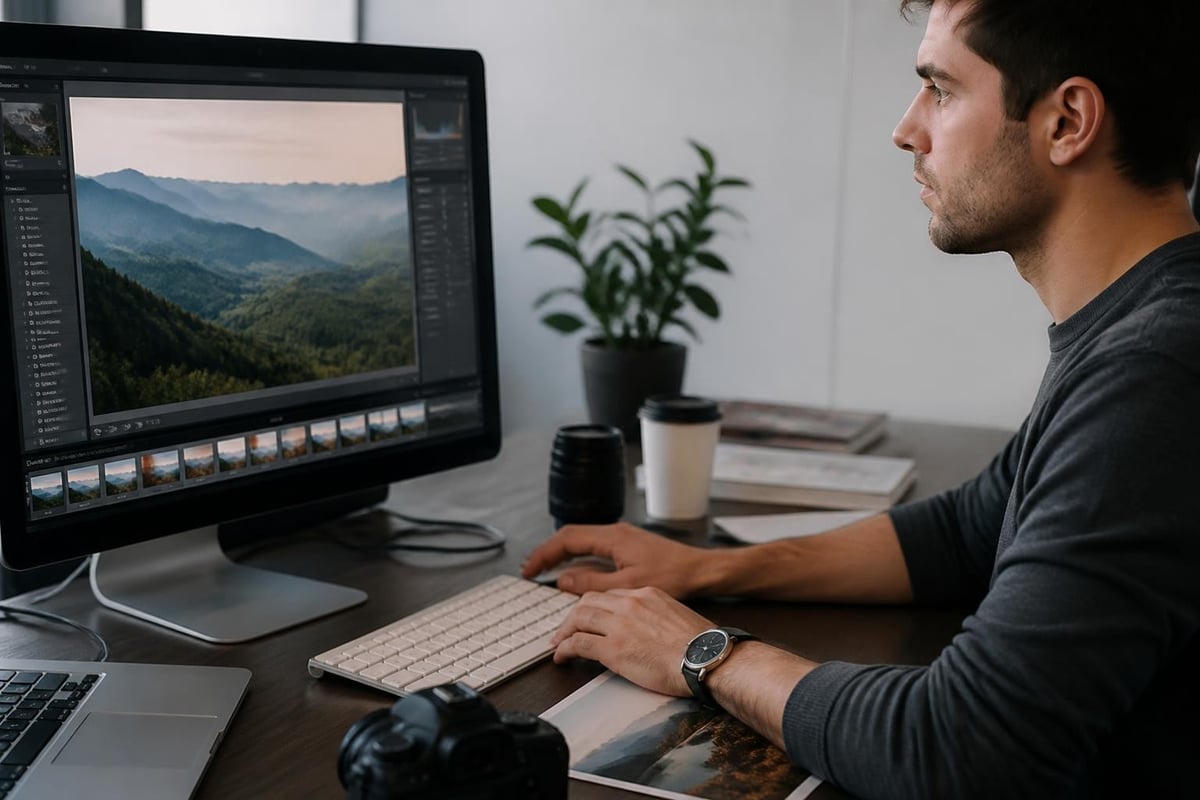
The market offers numerous options for browser-based image editing, each with distinct strengths. TechRadar's guide to Photopea highlights one of the most powerful free options available, which closely mimics Photoshop's interface and capabilities. Understanding which platform best suits your needs depends on your specific requirements and workflow.
Feature-Rich Professional Tools
Several online editors cater to professional photographers and designers who need advanced capabilities:
- Photopea provides layer support, masks, and blending modes comparable to desktop software
- Pixlr offers both simplified and advanced editing modes for different skill levels
- Fotor specializes in batch processing and template-based designs
- BeFunky combines editing tools with graphic design capabilities
These platforms handle standard JPEG editing tasks while supporting more complex operations. Color grading, selective adjustments, and sophisticated retouching become accessible without expensive software licenses. How-To Geek's comprehensive review of online photo editors provides detailed comparisons of features and usability across different platforms.
Specialized Editing Solutions
Some online tools focus on specific editing tasks that ecommerce and product photography professionals frequently encounter:
| Tool Type | Primary Function | Best For |
|---|---|---|
| Background Removers | Automated subject isolation | Product photography |
| Batch Processors | Bulk image adjustments | Large catalogs |
| Color Correctors | Precise color management | Brand consistency |
| Resize Tools | Dimension standardization | Multi-platform publishing |
Professional retouching services often integrate these specialized tools into broader workflows. For example, ecommerce businesses processing hundreds of product shots benefit from automated background removal followed by manual fine-tuning for consistency.
When you need consistent, professional results across large image volumes, services like Ecommerce Photo Editing combine automated efficiency with expert human oversight to ensure every image meets exact specifications for symmetrical alignment, color accuracy, and blemish removal.
Understanding JPEG Compression and Quality
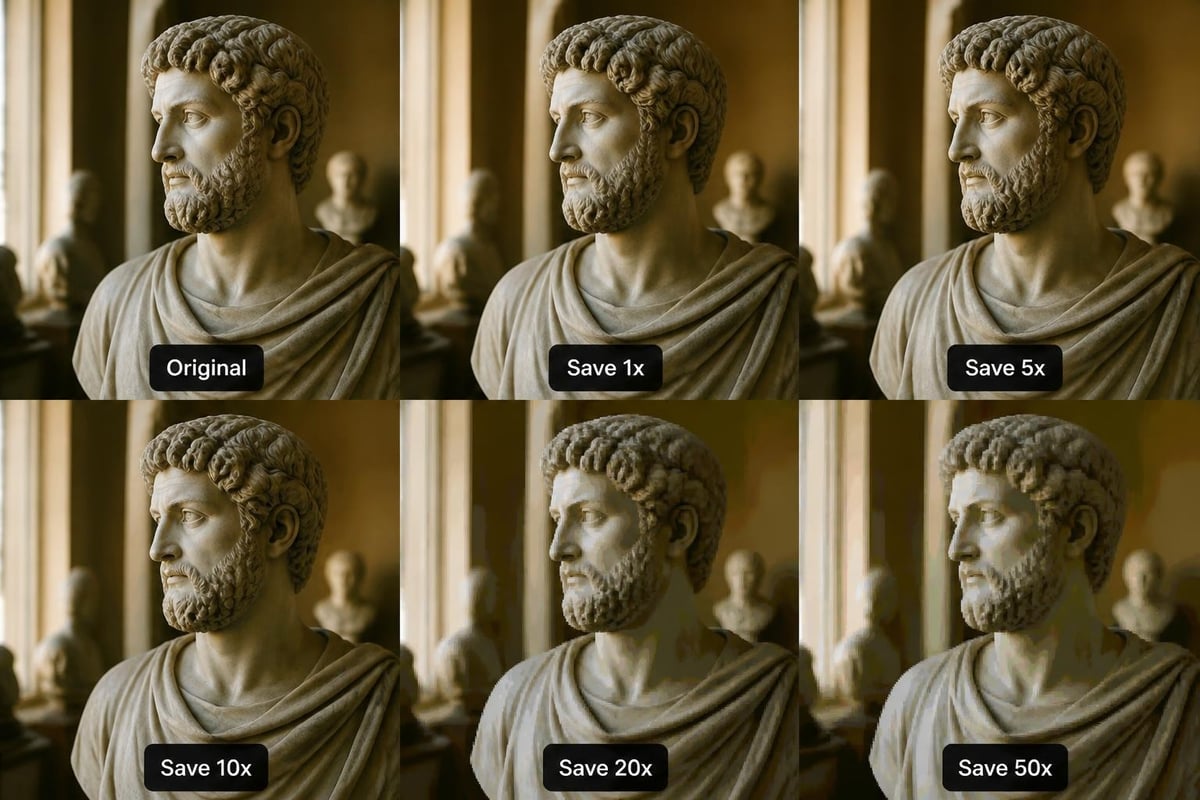
Working with JPEG files online requires understanding how compression affects image quality. JPEG uses lossy compression, meaning some image data is discarded each time you save. This becomes particularly important when performing multiple edits, as quality can degrade through repeated save cycles.
Compression Artifacts and Editing Challenges
Research into JPEG compression effects on image editing reveals how compression can complicate editing workflows, particularly when applying AI-based enhancements. Compression artifacts-those blocky patterns visible in heavily compressed images-can become more pronounced during editing.
Best practices for maintaining quality include:
- Start with the highest quality source image available
- Perform all edits in a single session when possible
- Save working files in lossless formats if the platform supports it
- Export the final JPEG at maximum quality settings
- Keep original files as backups for future editing needs
When using jpeg editing online tools, pay attention to export settings. Most platforms default to moderate compression for faster uploads, but professional work demands higher quality outputs even if file sizes increase.
Color Space Considerations
JPEG files typically use the sRGB color space, which works well for web display but may limit options for print reproduction. Online editors generally maintain the embedded color profile, though some may convert to sRGB by default. For photography professionals working across multiple output formats, verifying color space handling is essential.
Essential Editing Techniques for JPEG Files
Mastering jpeg editing online requires understanding both the tools and the techniques that produce professional results. Different editing scenarios demand different approaches, and knowing which adjustments to prioritize can dramatically improve efficiency.
Fundamental Adjustments
Every image benefits from attention to these core elements:
- Exposure and contrast establish the tonal foundation
- White balance ensures accurate color representation
- Sharpness compensates for lens softness and compression
- Noise reduction cleans up high-ISO or shadow detail
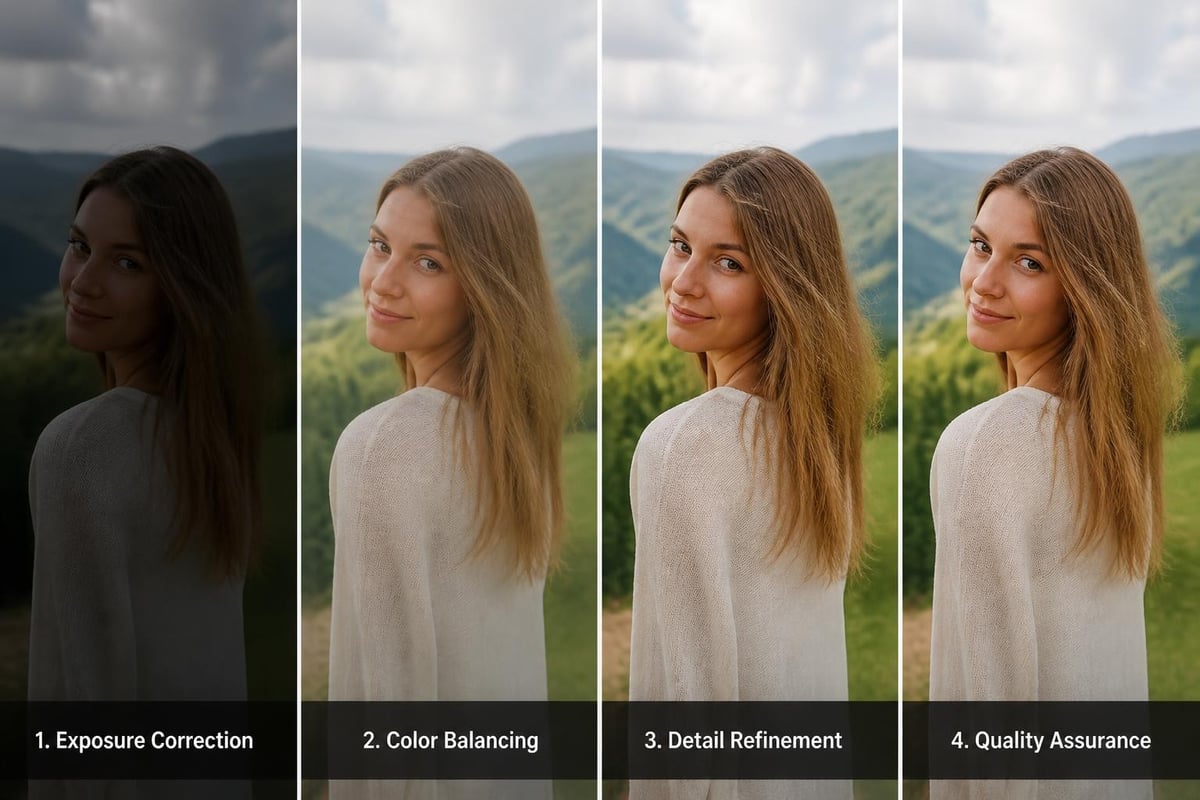
These adjustments form the foundation of professional editing. Online tools typically present these as sliders or curves, allowing precise control over how images appear. The order of adjustments matters-correcting exposure before addressing color usually produces better results than the reverse.
Advanced Retouching Methods
Professional work often requires techniques beyond basic adjustments. Retouching in jpeg editing online platforms involves:
- Healing and cloning to remove unwanted elements
- Dodge and burn for selective lightening and darkening
- Frequency separation for texture-preserving skin retouching
- Selective color grading to enhance specific hues
The sophistication of online tools now matches many desktop applications in these areas. Advanced features like layer masks and adjustment layers enable non-destructive editing, where you can modify or remove adjustments without affecting the original image data.
Workflow Optimization for Online Editing
Efficiency matters when processing images at scale. Developing standardized workflows for jpeg editing online helps maintain consistency while reducing time per image. Professional photographers and ecommerce managers benefit from systematic approaches to image processing.
Batch Processing Strategies
When handling multiple similar images, batch processing saves significant time:
| Strategy | Application | Time Savings |
|---|---|---|
| Preset creation | Consistent lighting setups | 60-70% |
| Action recording | Repetitive multi-step edits | 70-80% |
| Automated corrections | Standard adjustments | 50-60% |
| Template application | Branded layouts | 80-90% |
Many online editors support creating and saving presets or actions. A product photographer shooting white-background images can create a preset that adjusts exposure, applies background cleanup, and corrects color temperature. Applying this preset to each new image eliminates repetitive manual adjustments.
Quality Control Checkpoints
Professional workflows incorporate verification steps to ensure consistent quality. Before finalizing edits, check:
- Image sharpness at 100% zoom
- Color accuracy against reference standards
- Background cleanliness for ecommerce applications
- File naming and organization
- Export settings appropriate for intended use
Organizations serving clients across different industries benefit from professional photo editing expertise that combines technical proficiency with industry-specific quality standards.
AI-Powered Enhancement Tools
Artificial intelligence has transformed jpeg editing online capabilities in 2026. Machine learning algorithms can now perform complex edits that previously required significant manual effort and expertise. Understanding how to leverage these tools effectively separates efficient workflows from outdated approaches.
Intelligent Auto-Adjustments
Modern AI tools analyze image content and apply contextually appropriate adjustments. Rather than applying generic enhancements, these systems recognize subjects and scenes to optimize edits. Portrait images receive different treatment than landscapes or product shots.
AI capabilities now include:
- Automatic subject detection and masking
- Content-aware fill for seamless object removal
- Intelligent noise reduction preserving detail
- Smart sharpening based on image content
- One-click sky replacement with realistic blending
Research on instruction-based image editing demonstrates how AI systems can interpret natural language commands to execute complex editing tasks. This technology is gradually appearing in consumer-facing online editors, making sophisticated techniques accessible to non-experts.
Balancing Automation and Manual Control
While AI tools accelerate workflows, professional results often require human refinement. Automated corrections provide excellent starting points, but understanding when to override AI suggestions distinguishes adequate work from exceptional results. The most effective approach combines AI efficiency with expert judgment.
For instance, AI background removal works well for simple subjects but may struggle with fine details like hair or transparent materials. Recognizing these limitations allows editors to apply AI broadly while manually refining problematic areas. This hybrid approach delivers both speed and quality.
Mobile and Cross-Device Editing
The flexibility of jpeg editing online extends to mobile devices, enabling editing workflows that move seamlessly across phones, tablets, and computers. This mobility proves particularly valuable for photographers who need to make quick adjustments in the field or clients who want to review and approve edits remotely.
Mobile Optimization Considerations
Browser-based editors designed for mobile devices adapt their interfaces for touch control and smaller screens. Key features include:
- Simplified tool palettes for finger-based interaction
- Gesture controls for common operations
- Responsive layouts that adjust to screen size
- Cloud sync for accessing projects across devices
- Offline capabilities for working without connectivity
The ability to start editing on a desktop and continue on a mobile device offers unprecedented flexibility. Photographers can capture images, perform initial edits on tablets between shoots, and finalize processing on workstations with calibrated monitors.
Collaboration and Approval Workflows
Online editing platforms facilitate collaboration in ways desktop software cannot match. Team members can share links to projects, add comments on specific edits, and track revision history. This proves particularly valuable for agencies working with clients who want involvement in the editing process.
Security and Privacy in Online Editing
Uploading images to online platforms raises legitimate concerns about data security and intellectual property protection. Professional photographers and businesses handling sensitive product imagery need confidence that their files remain secure throughout the editing process.
Data Protection Measures
Reputable jpeg editing online platforms implement multiple security layers:
- Encrypted connections (HTTPS) for all data transmission
- Secure storage with access controls and monitoring
- Automatic deletion of uploaded files after specified periods
- Privacy policies detailing data usage and retention
- Terms of service clarifying intellectual property rights
Before uploading valuable or sensitive images, review the platform's security documentation. Enterprise-grade services often provide additional protections like private cloud deployment and service level agreements guaranteeing uptime and data security.
File Management Best Practices
Even with platform security measures, editors should follow protective practices:
- Watermark preview versions shared for client approval
- Download and archive final edits locally
- Delete cloud copies after projects conclude
- Use unique, strong passwords for editor accounts
- Enable two-factor authentication when available
For businesses requiring absolute control over image data, combining online tools for general work with specialized professional retouching services for sensitive projects offers an effective balance between convenience and security.
Integration with Existing Workflows
The value of jpeg editing online tools increases when they integrate smoothly with existing business systems. For ecommerce operations, photographers, and marketing teams, seamless connections between editing platforms and other tools eliminate redundant steps and reduce errors.
Common Integration Points
Professional workflows typically connect editing tools with:
| System Type | Integration Benefit | Use Case |
|---|---|---|
| Asset management | Automatic organization | Large image libraries |
| Ecommerce platforms | Direct publishing | Product catalog updates |
| Social media tools | Optimized output | Multi-channel marketing |
| Project management | Workflow tracking | Team coordination |
Many online editors provide APIs or direct integrations with popular platforms. An ecommerce business might automatically send new product shots to an online editor, apply standard adjustments, and publish directly to their website without manual file handling.
File Format Flexibility
While focusing on jpeg editing online, professional workflows often involve multiple file formats. Online editors increasingly support RAW files from major camera manufacturers, allowing photographers to maintain quality through the editing process before exporting final JPEGs for delivery.
This format flexibility means a single platform can handle the complete workflow from RAW capture through final optimized web delivery, eliminating the need to switch between multiple applications.
Future Developments in Online Image Editing
The trajectory of jpeg editing online points toward increasingly sophisticated capabilities delivered through browsers. Several emerging technologies will shape the landscape over the coming years, making online editors even more compelling alternatives to traditional desktop software.
Emerging Technologies
Development areas showing significant promise include:
- WebGPU acceleration for faster processing of high-resolution images
- Advanced AI models running entirely in browsers
- Collaborative real-time editing with multiple simultaneous users
- Augmented reality previews for visualizing edits in context
- Voice control interfaces for hands-free editing operations
Research into detecting JPEG manipulation artifacts will likely influence editing tools, potentially providing built-in verification that images haven't been inappropriately altered. This becomes increasingly important as concerns about image authenticity grow.
Professional Adoption Trends
As online editing tools mature, adoption among professional photographers and businesses accelerates. The convenience, cost-effectiveness, and feature parity with desktop software make browser-based solutions increasingly attractive. Industry-specific tools tailored for jewelry photography, real estate, or food photography demonstrate how online platforms are specializing to serve professional niches.
The high-quality editing datasets being developed for AI training will enable even more sophisticated automatic enhancements, further narrowing the quality gap between amateur and professional results while allowing experts to work more efficiently.
Mastering jpeg editing online empowers photographers, ecommerce businesses, and creative professionals to produce exceptional results without expensive software or powerful workstations. As browser-based tools continue evolving, they offer increasingly viable alternatives to traditional desktop editing applications. Whether you need quick adjustments or comprehensive retouching, understanding the available tools and techniques ensures you can work efficiently while maintaining professional quality standards. When your projects demand expert-level precision and consistency across large image volumes, Photo Editing Company provides professional retouching services that combine advanced technology with experienced human expertise to deliver exactly the results your business requires.