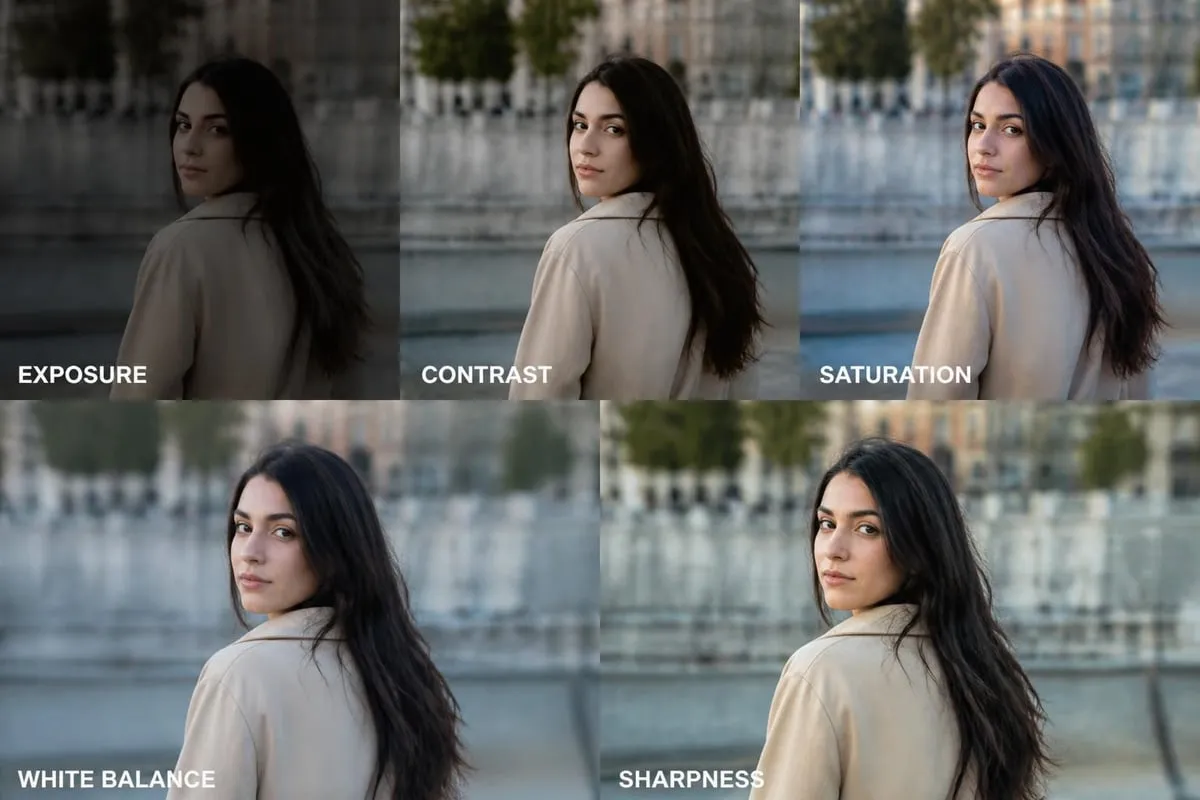
Starting your journey in photo editing can feel overwhelming with countless software options available in 2026. Whether you're a hobbyist photographer, small business owner, or aspiring creative professional, choosing the right photo editing programs for beginners is crucial for developing your skills efficiently. This comprehensive guide explores the top editing software options, essential features to look for, and practical tips to help you make an informed decision that matches your skill level and creative goals.
Understanding What Makes Great Photo Editing Programs for Beginners
The best beginner-friendly photo editing software balances powerful features with an intuitive interface. New users need tools that don't require extensive technical knowledge but still offer room for growth as skills develop.
Key Features Every Beginner Should Look For
When evaluating photo editing programs for beginners, certain features stand out as essential for learning and productivity:
- Non-destructive editing capabilities that preserve original files
- Intuitive user interface with clearly labeled tools and functions
- Preset filters and effects for quick enhancements
- Layer support for more advanced editing techniques
- Comprehensive tutorials and learning resources
- Batch processing options for editing multiple photos efficiently
Modern software has evolved significantly, with many programs now incorporating AI-powered tools that simplify complex tasks. These intelligent features help beginners achieve professional results without mastering every technical detail immediately.
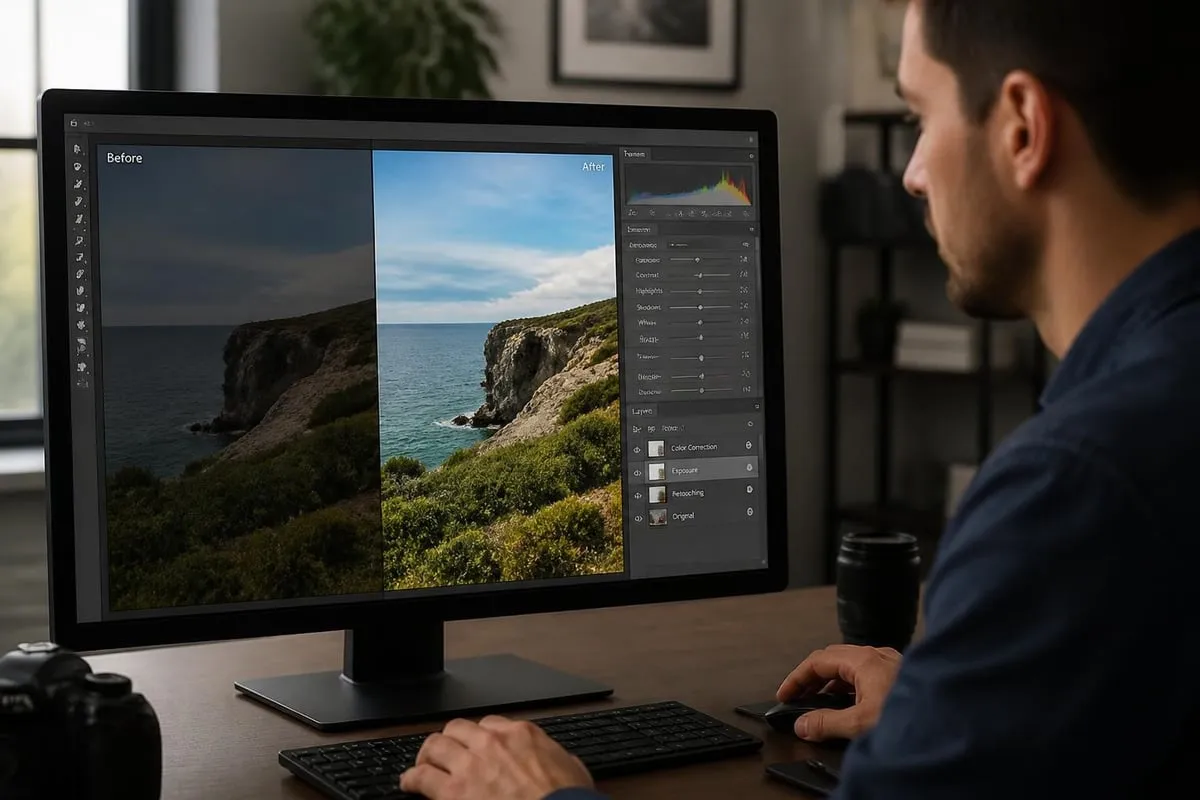
Price Considerations and Value Assessment
Budget plays a significant role in software selection. The market offers options ranging from completely free open-source programs to premium subscription-based platforms.
| Price Category | Typical Cost | Best For | Example Options |
|---|---|---|---|
| Free | $0 | Hobbyists, learners | GIMP, PhotoScape X |
| One-time Purchase | $50-$200 | Long-term users | Affinity Photo, Luminar Neo |
| Subscription | $10-$50/month | Professionals, frequent users | Adobe Creative Cloud |
| Freemium | Free + optional upgrades | Casual users | Canva, Pixlr |
This comprehensive guide to photo editing software for beginners emphasizes how non-destructive editing features have become standard across most platforms in 2026, making it easier for newcomers to experiment without fear of ruining their original images.
Top Photo Editing Programs for Beginners in 2026
The landscape of photo editing programs for beginners has expanded dramatically, offering solutions for every skill level and budget. Each program brings unique strengths to help new editors develop their craft.
Adobe Photoshop Elements: Simplified Professional Power
Adobe Photoshop Elements strips away the complexity of full Photoshop while retaining essential editing capabilities. The guided edits feature walks beginners through common enhancement tasks step-by-step.
Strengths:
- Automated organization with facial recognition
- Guided editing modes for learning
- Regular updates and new features
- Integration with Adobe ecosystem
Limitations:
- Annual license cost adds up
- Still requires learning curve for advanced features
- Resource-intensive on older computers
GIMP: The Free Powerhouse
GIMP (GNU Image Manipulation Program) stands as the premier free alternative to Photoshop. This open-source software delivers professional-grade features without the price tag, making it ideal for beginners testing the waters.
The best Photoshop alternatives guide highlights GIMP's extensive customization options and active community support. While the interface may feel less polished than commercial options, the software's capabilities rival paid programs.
Luminar Neo: AI-Powered Simplicity
Luminar Neo leverages artificial intelligence to automate complex editing tasks. The software excels at portrait retouching, sky replacement, and lighting adjustments with minimal manual intervention.
For beginners who want professional results quickly, Luminar Neo's one-time purchase model and AI tools provide excellent value. The software learns user preferences over time, suggesting relevant adjustments for different photo types.
Affinity Photo: Professional Features, Beginner-Friendly Price
Affinity Photo challenges Adobe's dominance with a one-time purchase price and professional-grade toolset. The software supports RAW file editing, advanced layer controls, and comprehensive color management.
What sets Affinity Photo apart:
- No subscription fees or recurring costs
- Fully featured mobile apps included
- Regular free updates and improvements
- Compatible with Photoshop file formats
- Extensive macro recording for repetitive tasks
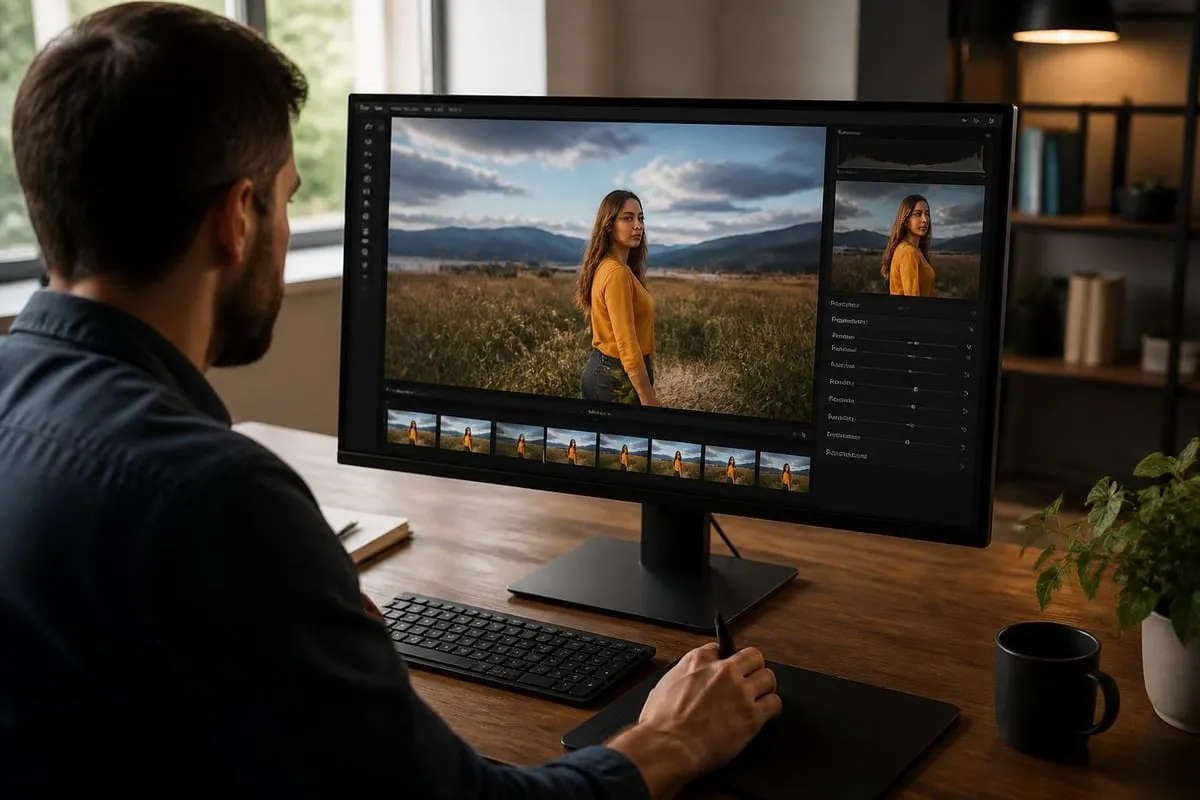
Essential Editing Techniques to Master First
Understanding fundamental editing concepts helps beginners choose appropriate software and develop skills systematically. These techniques form the foundation of all photo enhancement work.
Cropping and Composition Adjustments
Cropping remains the most basic yet impactful editing technique. Beginners should understand the rule of thirds, golden ratio, and how different aspect ratios affect image presentation. Most photo editing programs for beginners include grid overlays and preset crop ratios to guide composition improvements.
Exposure and Brightness Corrections
Properly exposed images serve as the foundation for all other enhancements. Learning to adjust highlights, shadows, and midtones separately gives beginners precise control over image luminosity.
| Adjustment | Purpose | When to Use |
|---|---|---|
| Exposure | Overall brightness | Underexposed/overexposed images |
| Highlights | Brightest areas | Recovering blown-out skies |
| Shadows | Darkest areas | Revealing hidden details |
| Whites/Blacks | Tonal extremes | Setting white/black points |
| Contrast | Tonal separation | Flat-looking images |
Color Correction and Enhancement
Color adjustments transform ordinary photos into compelling images. Beginners should start with white balance correction before moving to saturation and vibrance adjustments.
Temperature and tint sliders correct color casts from different lighting conditions. Saturation increases color intensity globally, while vibrance selectively enhances muted tones without oversaturating skin tones.
This beginner's guide to photo editing basics provides practical examples of how these fundamental adjustments work together to create polished final images.
Specialized Editing for Different Photography Types
Different photography genres require specific editing approaches. Understanding these specialized techniques helps beginners choose photo editing programs for beginners with appropriate features for their primary needs.
Product and Ecommerce Photography Editing
Product photography demands consistency, accurate colors, and clean backgrounds. Ecommerce sellers need efficient workflows to process multiple product variations quickly while maintaining brand standards.
Professional product photo editing typically includes background removal, shadow creation, symmetrical alignment, and color correction to ensure products appear consistently across all listings. For businesses managing large product catalogs, outsourcing to specialized services can dramatically improve efficiency and consistency. Ecommerce photo editing services handle these technical requirements while maintaining fast turnaround times for online retailers who need to update inventory regularly.

Portrait and People Photography
Portrait editing balances enhancement with authenticity. Beginners should focus on subtle skin retouching techniques that maintain natural texture while evening skin tone and reducing blemishes.
Essential portrait editing steps:
- Remove temporary blemishes and distractions
- Even out skin tone with selective color adjustment
- Enhance eyes with subtle brightening and sharpening
- Soften harsh shadows from unflattering lighting
- Apply gentle overall color grading for mood
Landscape and Nature Photography
Landscape editing emphasizes dynamic range and color vibrancy. Many photo editing programs for beginners now include specific landscape presets that enhance skies, foliage, and water features automatically.
Advanced landscape techniques involve graduated filters, selective color adjustments, and local contrast enhancements. Software like DxO PhotoLab 9 excels at extracting maximum image quality from RAW files, particularly valuable for landscape photographers working with challenging lighting conditions.
Learning Resources and Skill Development
Mastering photo editing programs for beginners requires dedication and proper guidance. Fortunately, 2026 offers abundant learning resources across multiple formats and platforms.
Online Tutorials and Video Courses
YouTube remains an invaluable free resource for learning photo editing techniques. This comprehensive GIMP tutorial for beginners demonstrates step-by-step editing processes using one of the most popular free programs.
Structured learning paths typically include:
- Basic interface navigation and tool identification
- Fundamental adjustment techniques (exposure, color, sharpening)
- Layer management and blending modes
- Selection tools and masking techniques
- Advanced retouching and compositing methods
Practice Projects and Skill Building
Consistent practice accelerates skill development more than passive learning. Beginners should start with simple editing tasks and gradually increase complexity as confidence grows.
Challenge yourself with specific projects like creating consistent product photos, developing a signature editing style, or recreating professional edits you admire. Many photography editing software platforms include sample images specifically designed for practice and learning.
Community Support and Feedback
Joining online communities provides motivation, feedback, and troubleshooting help. Forums dedicated to specific software programs connect beginners with experienced users willing to share knowledge and critique work constructively.
Before diving into complex edits, this essential video on considerations before starting photo editing covers important preparatory steps that save time and prevent common mistakes.
Workflow Efficiency and Organization
Developing systematic workflows prevents chaos as photo libraries grow. The best photo editing programs for beginners include robust organizational features that keep projects manageable.
File Management Best Practices
Implement these organizational strategies from day one:
- Use consistent, descriptive file naming conventions
- Maintain separate folders for originals and edited versions
- Apply keyword tags and ratings for easy searching
- Back up files to multiple locations (local and cloud)
- Delete obvious rejects to prevent digital clutter
Batch Processing for Consistency
Batch processing applies identical adjustments to multiple images simultaneously. This feature proves invaluable for photographers shooting series of similar images under consistent lighting conditions.
Wedding photographers, event photographers, and product photographers particularly benefit from batch processing capabilities. Creating and saving custom presets further accelerates repetitive editing tasks.
Integration with Other Creative Tools
Modern creative workflows often span multiple applications. For photographers who also produce video content, understanding how photo editing integrates with video production workflows creates opportunities for cohesive visual storytelling across different media formats.
The connection between photo and video editing becomes especially relevant for social media content creators who need to maintain consistent visual branding across still images and motion graphics.
Making Your Final Software Selection
With numerous excellent options available, choosing among photo editing programs for beginners ultimately depends on individual needs, budget constraints, and long-term creative goals.
Trial Periods and Software Testing
Most commercial photo editing programs offer free trials ranging from seven to thirty days. Use this period strategically to test real-world workflows rather than just exploring features superficially.
During trial periods, test these critical factors:
| Factor | What to Test | Why It Matters |
|---|---|---|
| Performance | Processing speed with your camera files | Daily usability and frustration levels |
| Interface | Tool accessibility and learning curve | Efficiency and skill development pace |
| Export Options | File formats and quality settings | Final output capabilities |
| Customer Support | Response time and helpfulness | Long-term reliability |
| Updates | Frequency and feature additions | Future-proofing investment |
Scalability and Future Growth
Select software that grows with your skills rather than requiring replacement as you advance. The best photo editing software comparison evaluates six beginner-friendly options based on both immediate usability and long-term capability.
Beginners serious about photography should consider whether their chosen software offers advanced features they'll eventually need, even if those capabilities seem unnecessary initially. Switching platforms later means relearning workflows and potentially losing invested time and preset collections.
Platform Compatibility Considerations
Mobile editing has become increasingly sophisticated, with many professional photographers handling quick edits entirely on tablets or smartphones. Some photo editing programs for beginners offer mobile versions that sync projects across devices, enabling editing flexibility regardless of location.
Cross-platform compatibility ensures consistent editing capabilities whether working from a desktop computer, laptop, or tablet. For online retouching capabilities, cloud-based solutions offer accessibility advantages but may require reliable internet connections.
Common Beginner Mistakes to Avoid
Understanding typical pitfalls helps new editors develop good habits from the start. These mistakes appear repeatedly among beginners learning photo editing programs for beginners.
Over-Editing and Maintaining Natural Appearance
The most common beginner error involves excessive adjustment application. Heavy-handed saturation boosts, extreme sharpening, and aggressive HDR effects create unnatural-looking images that immediately signal inexperience.
Professional editing often appears subtle because it enhances rather than transforms images. Beginners should regularly compare edited versions against originals to ensure enhancements remain believable and appropriate for the image's purpose.
Ignoring Color Space and File Format Implications
Technical settings like color space (sRGB vs. Adobe RGB) and file format selection (JPEG vs. TIFF vs. PNG) significantly impact final image quality and usability. Many beginners save edited files as compressed JPEGs repeatedly, degrading quality with each save.
Best practice involves editing in high-quality formats (TIFF or PSD) with appropriate color spaces for the intended output medium. Final exports should match delivery requirements while preserving maximum quality.
Skipping Calibration and Color Management
Monitor calibration ensures colors you see match what others will view and what prints will produce. Uncalibrated displays often show inaccurate colors, leading to edits that look drastically different on other devices or in print.
Professional calibration hardware costs several hundred dollars, but even free software calibration tools improve consistency significantly. This foundational step prevents frustration when sharing edited images across different platforms and media.
Selecting appropriate photo editing programs for beginners represents a crucial first step in your creative journey, with numerous excellent options available across all price ranges and skill levels in 2026. The right software balances intuitive controls with powerful features that support skill development without overwhelming new users. Whether you choose free open-source options like GIMP, affordable one-time purchases like Affinity Photo, or subscription-based professional tools, consistent practice and systematic learning will accelerate your progress more than any specific software choice. When you need professional results for business applications or want to focus on creative work while experts handle technical editing tasks, Photo Editing Company delivers specialized retouching services including background removal, color correction, and comprehensive photo enhancement for clients worldwide.
Related reading: