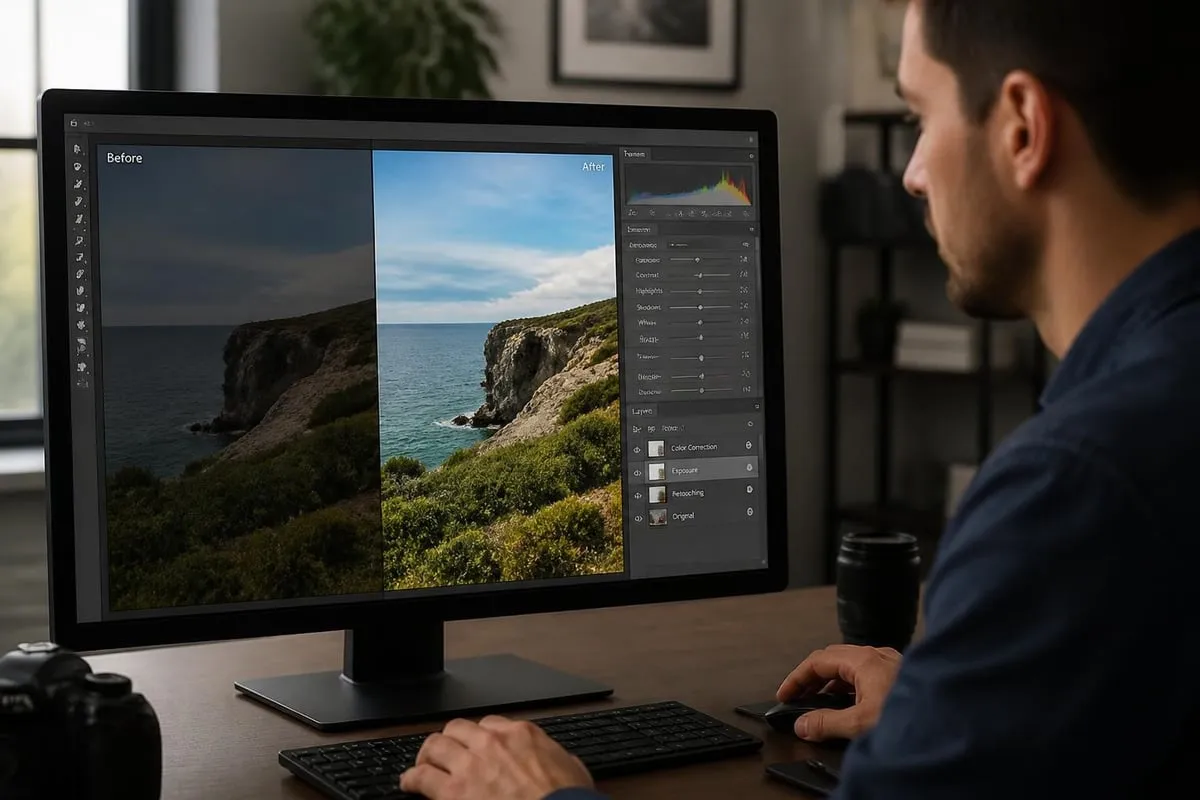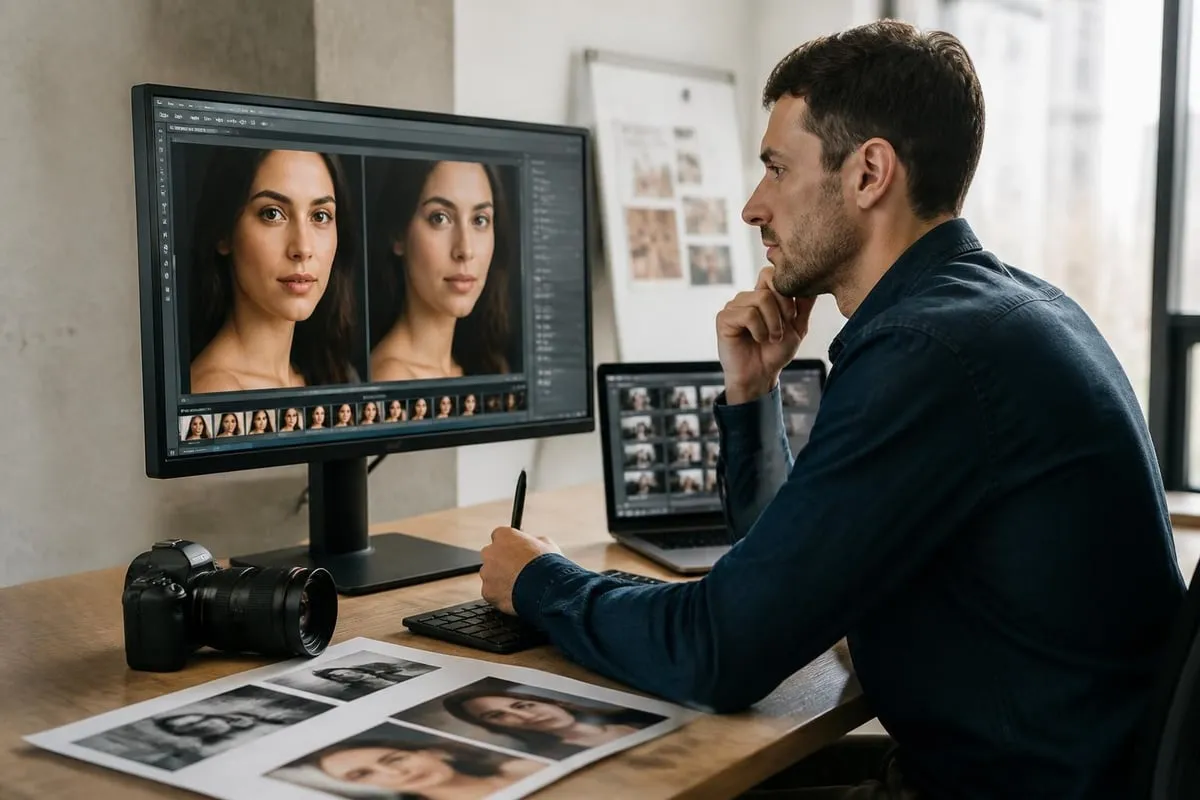
The digital revolution has transformed how we approach image manipulation and enhancement. Online photoshopping has evolved from a niche technical skill into an essential business capability that impacts everything from ecommerce success to brand perception. Whether you're a photographer delivering client galleries, an online retailer showcasing products, or a marketing professional creating campaign assets, understanding the landscape of digital image editing has become non-negotiable in 2026.
Understanding the Modern Online Photoshopping Landscape
The term "online photoshopping" encompasses far more than simply opening Adobe Photoshop and making quick adjustments. It represents a comprehensive ecosystem of cloud-based tools, AI-powered platforms, and professional services that enable sophisticated image manipulation from anywhere with an internet connection.
The shift to online editing platforms has accelerated dramatically over the past few years. Businesses now expect immediate access to editing capabilities without the overhead of expensive software licenses or high-performance local hardware. This democratization of editing tools has created both opportunities and challenges for professional photographers and businesses alike.
Key Technologies Driving Online Photoshopping
Several technological advances have reshaped the online photoshopping landscape:
- Cloud computing infrastructure enabling real-time editing on remote servers
- Artificial intelligence algorithms for automated retouching and object recognition
- WebGL and WebAssembly technologies bringing desktop-level performance to browsers
- Collaborative editing platforms supporting team workflows and client reviews
- API integrations connecting editing tools with ecommerce platforms and content management systems
The emergence of specialized photo editing software has given users unprecedented choice in how they approach image enhancement. Traditional desktop applications now compete with browser-based alternatives that require no installation or updates.

Professional Applications of Online Photoshopping
Different industries leverage online photoshopping capabilities in distinct ways, each with specific technical requirements and quality standards.
Ecommerce and Product Photography
Online retailers face unique challenges in presenting products consistently across thousands of SKUs. Professional ecommerce photo editing addresses critical needs including:
| Editing Requirement | Business Impact | Technical Approach |
|---|---|---|
| Background removal | 85% faster product uploads | AI-powered clipping paths |
| Color consistency | 40% fewer returns | Calibrated correction workflows |
| Shadow enhancement | 30% higher conversion rates | Manual layer-based compositing |
| Image standardization | Improved brand recognition | Template-based batch processing |
The financial implications of quality product images cannot be overstated. Research consistently shows that professional retouching directly correlates with conversion rates and customer confidence. Ecommerce businesses investing in systematic online photoshopping workflows see measurable improvements in both sales metrics and operational efficiency.
Portrait and Beauty Retouching
The beauty and portrait photography sector demands the most nuanced approach to online photoshopping. Professional retouchers must balance enhancement with authenticity, preserving natural skin texture while addressing blemishes and color inconsistencies. This delicate equilibrium requires both technical expertise and artistic judgment.
Modern portrait retouching encompasses:
- Skin refinement without creating artificial plastic-looking textures
- Dodge and burn techniques for facial contouring and dimension
- Eye enhancement including catchlight addition and color intensification
- Hair refinement with flyaway removal and volume adjustment
- Color grading to establish mood and visual consistency
For businesses specializing in professional retouching services, the technical standards continue to rise. Clients expect results that meet publication standards while maintaining fast turnaround times.
Choosing the Right Online Photoshopping Platform
The selection of editing tools significantly impacts workflow efficiency and output quality. Understanding the distinctions between platforms helps businesses make informed technology investments.
Browser-Based Editing Solutions
Web applications have matured considerably, offering capabilities that rival installed software for many common tasks. These platforms excel in scenarios requiring collaboration, accessibility across devices, and integration with cloud storage systems.
Popular browser-based editors provide:
- Instant access without software installation
- Automatic updates and feature additions
- Cross-platform compatibility (Windows, Mac, ChromeOS)
- Direct integration with cloud storage providers
- Collaborative review and approval workflows
However, limitations persist. Complex compositing work, high-resolution RAW processing, and advanced selection techniques still favor traditional desktop applications with full system resource access.
Desktop Applications with Cloud Capabilities
Traditional editing powerhouses have evolved to incorporate online features while maintaining their performance advantages. Advanced RAW editing software demonstrates how desktop applications can leverage cloud storage for asset management while performing intensive processing locally.
The hybrid approach offers compelling advantages for professional workflows:
- Full processing power for complex editing operations
- Cloud backup and synchronization of projects
- Mobile companion apps for on-location culling and basic edits
- Plugin ecosystems extending functionality
- Offline editing capability when internet access is unavailable
AI-Powered Online Photoshopping Workflows
Artificial intelligence has fundamentally changed what's possible in automated image enhancement. AI tools now handle tasks that previously required extensive manual work, though comparing AI and manual editing approaches reveals important distinctions in quality and appropriateness for different applications.

Automated Enhancement Features
Modern AI capabilities in online photoshopping include:
- One-click background removal with edge refinement
- Intelligent object selection based on semantic understanding
- Automated skin retouching with texture preservation
- Sky replacement with lighting adjustment
- Perspective correction and lens distortion removal
- Noise reduction optimized for specific camera sensors
The Evoto AI platform exemplifies how specialized AI tools target professional photographer workflows, offering batch processing capabilities that maintain consistent quality across large image sets.
Limitations and Quality Considerations
Despite impressive advances, AI-driven online photoshopping cannot yet replace human expertise in critical applications. Complex compositing, artistic color grading, and high-end retouching still require skilled manual intervention.
Areas where AI tools struggle include:
- Maintaining brand-specific aesthetic standards
- Understanding contextual appropriateness of edits
- Preserving subtle tonal relationships in complex images
- Making creative decisions about composition and mood
- Handling unusual or edge-case scenarios outside training data
Professional editing services combine AI efficiency with human oversight, using automation for repetitive tasks while applying manual expertise where it creates the most value.
Building Efficient Online Photoshopping Workflows
Workflow optimization separates profitable editing operations from those struggling with inefficiency. Systematic approaches to online photoshopping reduce costs, improve consistency, and accelerate delivery.
Batch Processing Strategies
For businesses handling volume work, batch processing capabilities determine operational viability. Effective batch workflows incorporate:
| Workflow Stage | Automation Opportunity | Quality Control Point |
|---|---|---|
| Image ingestion | Automated file organization | Metadata verification |
| Initial adjustments | Preset application | Exposure review |
| Background removal | AI-powered processing | Edge quality check |
| Color correction | Template-based grading | Brand standard comparison |
| Final export | Automated sizing/formatting | Sample verification |
The most efficient operations develop custom photography editing software integrations that connect editing tools directly with storage systems, client portals, and delivery platforms.
Quality Assurance Processes
Maintaining consistent output quality requires systematic verification at multiple workflow stages. Professional services implement multi-tier review processes:
- Technical QA: Verifying resolution, color profile, and file specifications
- Aesthetic review: Ensuring edits meet style guidelines and brand standards
- Client feedback integration: Incorporating revision requests efficiently
- Final delivery verification: Confirming all files meet delivery specifications
These quality checkpoints prevent costly rework and build client confidence in service reliability.
Professional Online Photoshopping Techniques
Mastering specific technical skills separates competent editors from exceptional ones. Understanding advanced techniques enables more sophisticated image manipulation and problem-solving.
Advanced Selection and Masking
Precise selections form the foundation of professional retouching work. Contemporary online photoshopping platforms offer multiple selection methodologies, each suited to different scenarios:
- Channel-based selections for complex hair and fur isolation
- Color range selections for targeting specific hues
- Focus-based selections utilizing depth information
- AI-powered subject isolation for quick rough selections
- Manual path creation for geometric objects and products
Professional retouchers develop expertise in combining selection techniques, using AI tools for initial isolation before refining edges manually for publication-quality results.
Non-Destructive Editing Practices
Working non-destructively preserves editing flexibility and enables efficient revision handling. Core non-destructive techniques include:
- Adjustment layers for color and tonal modifications
- Smart objects preserving original image data
- Layer masks enabling selective editing application
- Clipping masks for contained adjustments
- Smart filters allowing parameter modification
These practices prove essential when clients request changes after initial delivery. Editors maintaining proper layer organization can implement revisions in minutes rather than hours.

Outsourcing Online Photoshopping Services
Many businesses find that outsourcing image editing delivers better results than attempting to build internal capabilities. Professional editing services offer specialized expertise, scalable capacity, and predictable costs that internal teams struggle to match.
When to Outsource Editing Work
Consider professional editing services when facing these scenarios:
- Volume exceeds internal capacity during peak seasons or campaigns
- Specialized skills like jewelry retouching or composite creation are needed
- Turnaround requirements demand 24-hour production cycles
- Quality standards exceed available internal expertise
- Cost analysis shows outsourcing delivers better economics than hiring
For businesses with predictable editing needs, establishing relationships with reliable professional retouching providers creates operational stability and quality assurance. Many ecommerce companies find that consistent editing quality across their entire catalog improves brand perception and customer trust.
Evaluating Editing Service Providers
Selecting the right outsourcing partner requires assessment across multiple dimensions:
| Evaluation Criteria | Why It Matters | Assessment Method |
|---|---|---|
| Technical capability | Determines achievable quality | Sample editing tests |
| Process maturity | Affects consistency and reliability | Workflow documentation review |
| Communication systems | Enables clear requirements and feedback | Trial project interaction |
| Turnaround time | Impacts business operations | SLA review and verification |
| Pricing structure | Determines long-term viability | Volume pricing comparison |
Trial projects reveal more than portfolios alone. Testing a provider's responsiveness to revision requests and ability to match specific style guidelines provides critical decision-making information.
Industry-Specific Online Photoshopping Requirements
Different sectors have evolved distinct approaches to image editing, reflecting their unique technical demands and business objectives.
Fashion and Apparel Photography
Clothing and fashion photography requires specialized online photoshopping techniques addressing:
- Garment shaping and symmetry to display products at their best
- Color accuracy ensuring online appearance matches physical products
- Model retouching balancing enhancement with authentic representation
- Ghost mannequin creation for apparel presentation
- Fabric texture preservation while removing imperfections
The technical challenge in fashion editing lies in enhancing presentation value without creating unrealistic customer expectations that lead to returns.
Jewelry and Luxury Goods
High-value items demand exceptional attention to detail in post-processing. Specialized jewelry editing addresses unique challenges including metallic surface rendering, gemstone enhancement, and reflection management that standard product editing workflows cannot adequately handle.
Food Photography Enhancement
Culinary imagery presents distinct online photoshopping requirements:
- Color correction ensuring appetizing appearance across devices
- Texture enhancement highlighting food quality and freshness
- Composition refinement removing distracting elements
- Lighting adjustment creating dimensional depth
- Steam and garnish enhancement adding visual appeal
Food photographers often work with specialized retouchers who understand the subtle techniques that make prepared dishes appear fresh and inviting.
Cost Considerations in Online Photoshopping
Understanding the economics of image editing helps businesses make informed decisions about in-house versus outsourced approaches.
Pricing Models and Structures
Professional editing services typically offer several pricing approaches:
- Per-image pricing suitable for variable volume needs
- Hourly rates for complex custom work
- Monthly subscriptions providing predictable costs for ongoing requirements
- Volume discounts rewarding larger commitments
- Tiered service levels balancing cost against turnaround time
The most cost-effective approach depends on your specific volume, complexity, and timeline requirements. Businesses with consistent monthly needs often find subscription models deliver the best value, while those with sporadic high-volume projects benefit from flexible per-image pricing.
Hidden Costs of DIY Editing
Organizations considering building internal editing capabilities must account for the total cost of ownership:
| Cost Category | DIY Considerations | Outsourcing Alternative |
|---|---|---|
| Software licenses | Ongoing subscription fees per user | Included in service pricing |
| Hardware investment | High-performance workstations | No capital investment required |
| Training and skill development | Continuous education expenses | Provider expertise included |
| Quality inconsistency | Rework and customer returns | Professional quality assurance |
| Opportunity cost | Time diverted from core business | Focus maintained on revenue activities |
For many businesses, especially those outside the creative industry, outsourcing online photoshopping proves more economical than internal development.
Training and Skill Development Resources
Whether building internal capabilities or simply understanding the editing process better, educational resources play a vital role in online photoshopping mastery.
Structured Learning Platforms
Several comprehensive educational resources support skill development:
- Adobe's official tutorials provide foundational technique instruction
- Photoshop Essentials guides offer step-by-step project-based learning
- ON1's learning hub delivers software-specific training for their platform
- Industry blogs and YouTube channels showcasing advanced techniques
- Online course platforms offering structured curriculum paths
Systematic learning accelerates skill acquisition more effectively than trial-and-error experimentation. Beginners benefit from understanding fundamental concepts before attempting complex techniques.
Staying Current with Evolving Tools
The online photoshopping landscape evolves rapidly. Professional editors maintain their competitive edge through continuous learning:
- Following software update announcements and feature releases
- Experimenting with emerging AI-powered tools and platforms
- Participating in online communities and forums
- Attending webinars and virtual conferences
- Reading industry publications and software reviews
Technology that seemed cutting-edge two years ago may now be superseded by more efficient alternatives. Staying informed ensures workflows remain competitive.
Quality Standards and Client Expectations
Meeting and exceeding client expectations requires clear communication about deliverable standards and realistic timeline commitments.
Establishing Clear Specifications
Preventing misunderstandings begins with detailed project specifications covering:
- File format and resolution requirements
- Color space and profile specifications
- Editing style guidelines with reference images
- Turnaround time expectations
- Revision policy and allowances
- Delivery method and file organization
Professional editing services document these specifications in service level agreements that create accountability and set clear expectations for both parties.
Managing the Revision Process
Even well-executed projects may require adjustments based on client feedback. Efficient revision workflows incorporate:
- Structured feedback collection using annotated images
- Defined revision rounds included in base pricing
- Clear communication about additional revision costs
- Version control preventing confusion about current files
- Documentation of all client-requested changes
The most successful client relationships balance accommodation of feedback with maintaining project profitability and realistic timelines.
Security and Intellectual Property Considerations
Professional online photoshopping involves handling sensitive client assets, requiring robust security practices and clear intellectual property agreements.
Protecting Client Images
Reputable editing services implement comprehensive security measures:
- Encrypted file transfer protocols for upload and delivery
- Access controls limiting who can view client images
- Secure storage systems with redundant backups
- Data retention policies specifying image deletion timelines
- Non-disclosure agreements protecting confidential projects
For businesses working with unreleased products or confidential materials, verifying provider security practices proves essential before engagement.
Ownership and Usage Rights
Clear agreements prevent disputes about edited image ownership:
- Clients typically retain full rights to edited deliverables
- Original unedited files may be retained by photographers
- Editing services generally cannot use client images in portfolios without permission
- Work-for-hire arrangements should be explicitly documented
- Commercial usage rights should be clearly specified
Professional providers maintain detailed contracts addressing these considerations, protecting both their interests and client rights.
Future Trends in Online Photoshopping
The trajectory of editing technology suggests several developments that will reshape professional workflows in coming years.
Emerging AI Capabilities
Current research, including advanced instruction-based editing systems, points toward increasingly sophisticated AI capabilities that will enable:
- Natural language editing instructions replacing manual tool manipulation
- Context-aware enhancement understanding image purpose and audience
- Style transfer applying consistent aesthetic across image collections
- Automated composition improvement suggesting crop and straightening adjustments
- Predictive editing anticipating photographer intentions
These capabilities will accelerate workflows while raising questions about the role of human expertise in the editing process.
Integration with Content Creation Workflows
Online photoshopping increasingly connects with broader content creation ecosystems:
- Direct platform integration with ecommerce systems
- Automated social media formatting and optimization
- Print production workflow connections
- Digital asset management system integration
- Cross-platform editing continuing across desktop and mobile devices
The boundaries between distinct software categories continue blurring as platforms offer comprehensive solutions rather than specialized tools.
Mastering online photoshopping represents a strategic advantage in today's visual economy, whether you're building internal capabilities or leveraging professional services. The combination of evolving AI technologies, cloud-based collaboration, and specialized expertise creates unprecedented opportunities for businesses to present their products and services with exceptional visual quality. Photo Editing Company delivers professional retouching services that help businesses worldwide achieve consistent, publication-quality results across their entire image portfolio, combining technical expertise with efficient workflows and reliable turnaround times that support your business objectives.
Related reading: