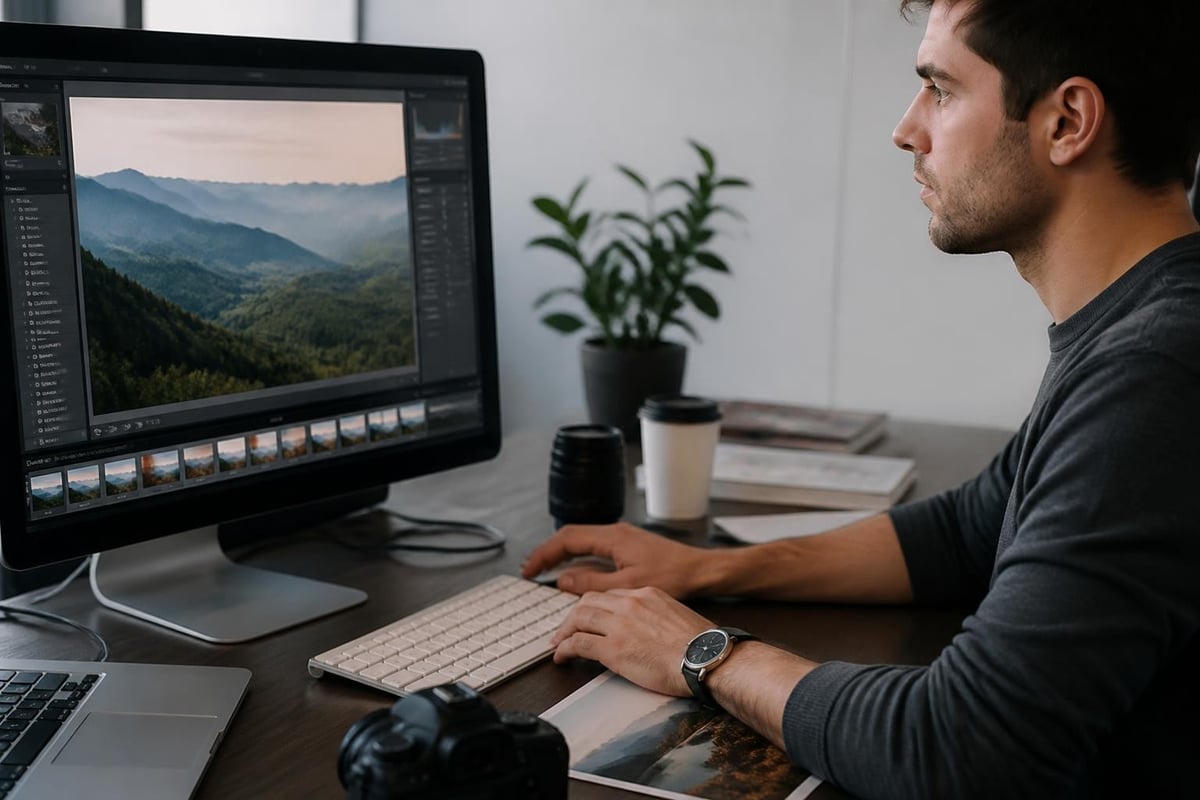
Instagram has revolutionized how we share visual stories, creating an unprecedented demand for quick, professional-quality photo enhancements. The ability to insta edit photo content has become essential for brands, influencers, and businesses seeking to maintain a competitive visual presence. Whether you're preparing product images for an ecommerce store, creating content for social media campaigns, or building a cohesive brand aesthetic, understanding efficient photo editing workflows can dramatically improve your Instagram engagement and overall online presence.
Understanding the Insta Edit Photo Workflow
The modern approach to editing photos for Instagram requires balancing speed with quality. Unlike traditional photography workflows that might involve hours of detailed retouching, the insta edit photo process emphasizes efficiency without sacrificing visual impact. This methodology combines mobile-first editing tools, preset filters, and batch processing techniques to create consistent, engaging content at scale.
Professional photographers and content creators have developed streamlined systems that allow them to process dozens of images in the time it once took to edit a single photograph. These workflows typically involve three distinct phases: initial capture optimization, style application, and platform-specific adjustments. Each phase addresses different aspects of the final image, from technical corrections to aesthetic enhancements.
Mobile vs Desktop Editing Platforms
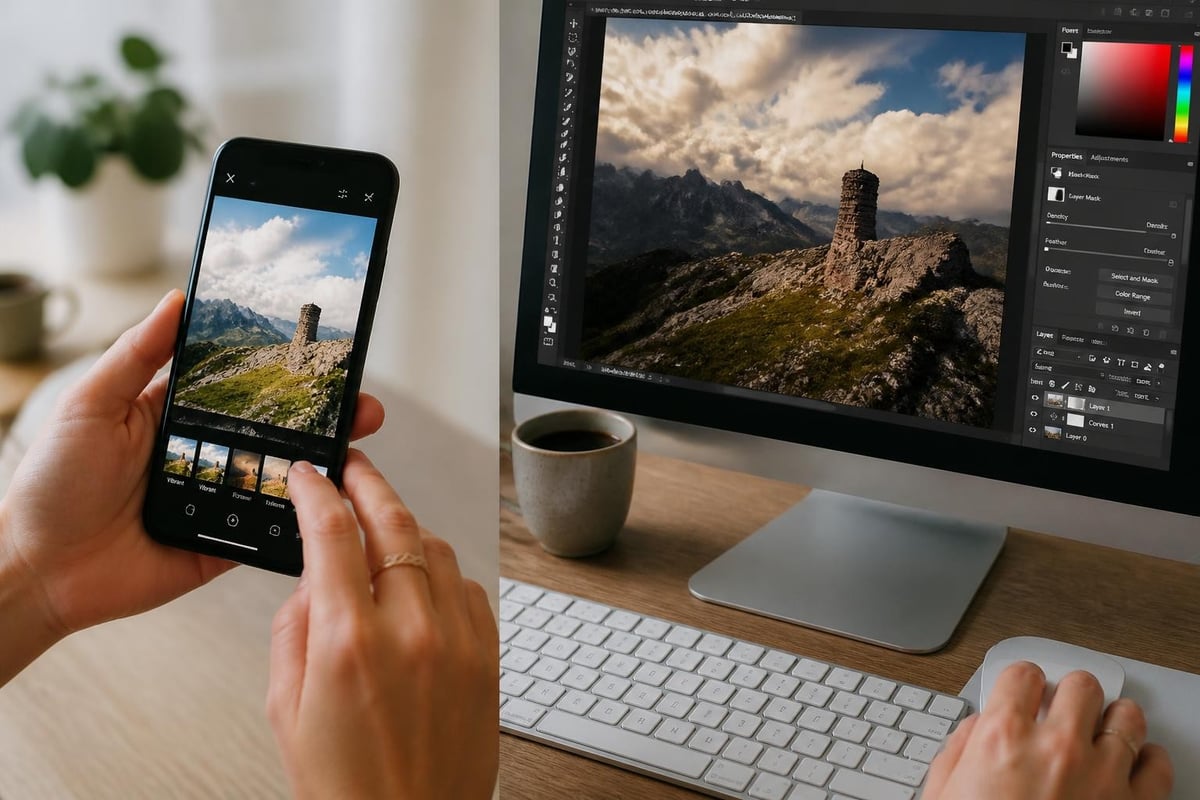
The choice between mobile and desktop editing platforms significantly impacts your insta edit photo workflow. Mobile applications offer unparalleled convenience and immediate sharing capabilities, making them ideal for real-time content creation and spontaneous posts. Apps like Adobe Lightroom Mobile, VSCO, and Snapseed provide sophisticated editing tools that rival desktop software in many respects.
Desktop platforms, however, deliver superior processing power and precision for complex edits. Professional photo editing software offers advanced features like layer-based editing, detailed color grading, and high-resolution export options. Many professionals adopt a hybrid approach, performing initial edits on mobile devices and reserving desktop software for images requiring extensive retouching or commercial-grade output.
Essential Techniques for Quick Photo Enhancement
Speed and consistency define successful Instagram editing strategies. The insta edit photo approach relies on mastering fundamental techniques that deliver maximum visual impact with minimal time investment. These core skills form the foundation of any efficient editing workflow.
Color Correction and White Balance
Proper color correction transforms amateur snapshots into professional-quality images. White balance adjustments ensure colors appear natural and consistent across your Instagram feed, creating a cohesive visual identity. Most editing applications include automatic white balance tools, but manual adjustments often produce superior results.
- Temperature slider: Adjusts warm (orange) versus cool (blue) tones
- Tint control: Balances green and magenta color casts
- Exposure compensation: Corrects overall brightness levels
- Contrast enhancement: Adds depth and visual separation
The Photo Editing Company specializes in color correction services that ensure your product images maintain accurate color representation across all platforms, which is particularly critical for ecommerce businesses where color fidelity directly impacts purchase decisions.
Exposure and Contrast Optimization
Controlling exposure and contrast determines how viewers perceive depth, dimension, and visual hierarchy in your images. The insta edit photo process typically involves boosting shadows to reveal detail while carefully managing highlights to prevent blown-out areas. This balanced approach creates images that display well on various devices and screen settings.
| Adjustment Type | Purpose | Typical Range |
|---|---|---|
| Exposure | Overall brightness | -1 to +1 stop |
| Highlights | Brightest areas | -50 to 0 |
| Shadows | Darkest areas | +30 to +60 |
| Whites | Pure white point | -20 to +20 |
| Blacks | Pure black point | -20 to +10 |
Modern editing tools incorporate AI-powered automatic adjustments that analyze image content and apply appropriate corrections. AI-assisted photo editing capabilities have advanced significantly, enabling complex edits through simple voice commands or single-tap operations.
Creating Consistent Visual Aesthetics
Instagram success depends heavily on maintaining a recognizable visual style across your content. The insta edit photo methodology emphasizes creating and applying consistent editing formulas that reinforce brand identity while allowing flexibility for different content types.
Developing Custom Presets
Custom presets revolutionize the editing process by encoding your signature style into reusable formulas. These presets apply predetermined adjustments to exposure, color, tone, and other parameters with a single click. Professional content creators often maintain multiple preset variations tailored to different lighting conditions, subject matter, or content themes.
Building effective presets requires understanding your brand's visual language. Consider factors like color palette preferences, mood and atmosphere, contrast levels, and tonal characteristics. Start by editing several representative images manually until you achieve your desired aesthetic, then save those settings as custom presets for future application.
Batch Processing Strategies
Efficiency in photo editing often comes down to processing multiple images simultaneously. Batch processing allows you to apply identical or similar edits across entire photo sets, dramatically reducing time investment. This technique proves especially valuable for product photography, event coverage, or any scenario involving numerous similar images.
- Import and organize: Group similar images by lighting, subject, or intended use
- Edit reference image: Perfect adjustments on one representative photo
- Copy settings: Extract editing parameters from the reference image
- Apply to batch: Paste settings across all similar images
- Individual refinement: Make minor adjustments to specific images as needed
Professional services understand the value of consistency in commercial photography. For businesses managing extensive product catalogs, ecommerce photo editing services provide systematic approaches to achieving uniform quality across thousands of product images while maintaining fast turnaround times.
Advanced Insta Edit Photo Techniques
Beyond basic adjustments, advanced techniques elevate Instagram content from adequate to exceptional. These methods require more time investment but deliver significantly enhanced visual impact for important posts or commercial applications.
Selective Editing and Local Adjustments
Selective editing enables targeted enhancements to specific image areas without affecting the entire photograph. This precision allows you to draw attention to focal points, correct isolated problems, or create dramatic lighting effects. Most advanced editing applications include tools like adjustment brushes, radial filters, and gradient masks.
The insta edit photo workflow incorporates selective adjustments strategically. Common applications include brightening faces in backlit scenarios, enhancing sky detail separately from foreground elements, and adding subtle vignettes to direct viewer attention. These localized modifications create professional polish while maintaining natural appearance.
Skin Retouching for Portrait Content
Portrait photography dominates Instagram, making skin retouching skills essential for content creators. Professional retouching balances smoothing imperfections with preserving natural skin texture. Over-processing creates the artificial "plastic" appearance that undermines credibility, while under-processing fails to meet audience expectations for polished content.
Professional retouchers follow systematic approaches that address blemishes, color correction, and texture separately. Frequency separation techniques allow independent control over skin tone and texture, enabling smooth complexion without losing natural detail. You can learn more about portrait editing improvements through targeted techniques that enhance rather than transform subjects.
AI-Powered Editing Solutions
Artificial intelligence has transformed the insta edit photo landscape, introducing capabilities that were impossible just a few years ago. AI-powered tools now handle complex tasks like background removal, object recognition, and content-aware filling with remarkable accuracy and speed.
Automated Background Removal
Background removal represents one of AI's most practical applications in photo editing. Modern algorithms accurately distinguish subjects from backgrounds, creating clean cutouts in seconds. This capability proves invaluable for product photography, composite images, and creating platform-specific content variations.
- One-click subject isolation: AI identifies and separates main subjects automatically
- Edge refinement: Algorithms preserve fine details like hair and fabric texture
- Batch processing: Process hundreds of images with consistent quality
- Multiple export options: Generate transparent PNGs, white backgrounds, or custom colors
The commercial importance of quality background removal cannot be overstated. Research shows that professional background removal increases sales by presenting products in clean, distraction-free contexts that focus buyer attention on merchandise features.
Smart Object Recognition and Enhancement
Advanced AI systems recognize image content and apply contextually appropriate enhancements. These intelligent tools identify elements like sky, foliage, buildings, or water, applying specialized adjustments optimized for each subject type. Sky replacement features, for instance, can transform dull overcast backgrounds into dramatic sunsets while maintaining realistic lighting interactions.
Academic research continues advancing autonomous editing capabilities. Studies like the PhotoAgent system demonstrate how AI can perform complex editing operations through aesthetic planning, potentially revolutionizing how we approach image enhancement in the coming years.
Platform-Specific Optimization
Creating an insta edit photo workflow requires understanding Instagram's technical requirements and display characteristics. Images that appear stunning in editing software may lose impact when compressed and displayed within Instagram's interface. Optimization ensures your content appears at its best regardless of how viewers access it.
Resolution and Aspect Ratio Considerations
Instagram supports multiple aspect ratios, each serving different content types and display contexts. Square posts (1:1) offer versatility and work well for most content, while vertical formats (4:5) maximize mobile screen real estate. Landscape orientations (1.91:1) suit panoramic scenes but reduce visibility in feed displays.
| Format Type | Aspect Ratio | Recommended Size | Best Use Case |
|---|---|---|---|
| Square Feed | 1:1 | 1080 x 1080 px | General content, product shots |
| Portrait Feed | 4:5 | 1080 x 1350 px | Mobile-optimized posts |
| Landscape Feed | 1.91:1 | 1080 x 566 px | Scenic photography |
| Stories | 9:16 | 1080 x 1920 px | Full-screen mobile content |
Resolution management prevents quality loss during Instagram's compression process. Uploading images at recommended dimensions minimizes degradation while maintaining reasonable file sizes. Over-sized images waste bandwidth without improving display quality, while undersized images appear soft or pixelated.
File Format and Compression
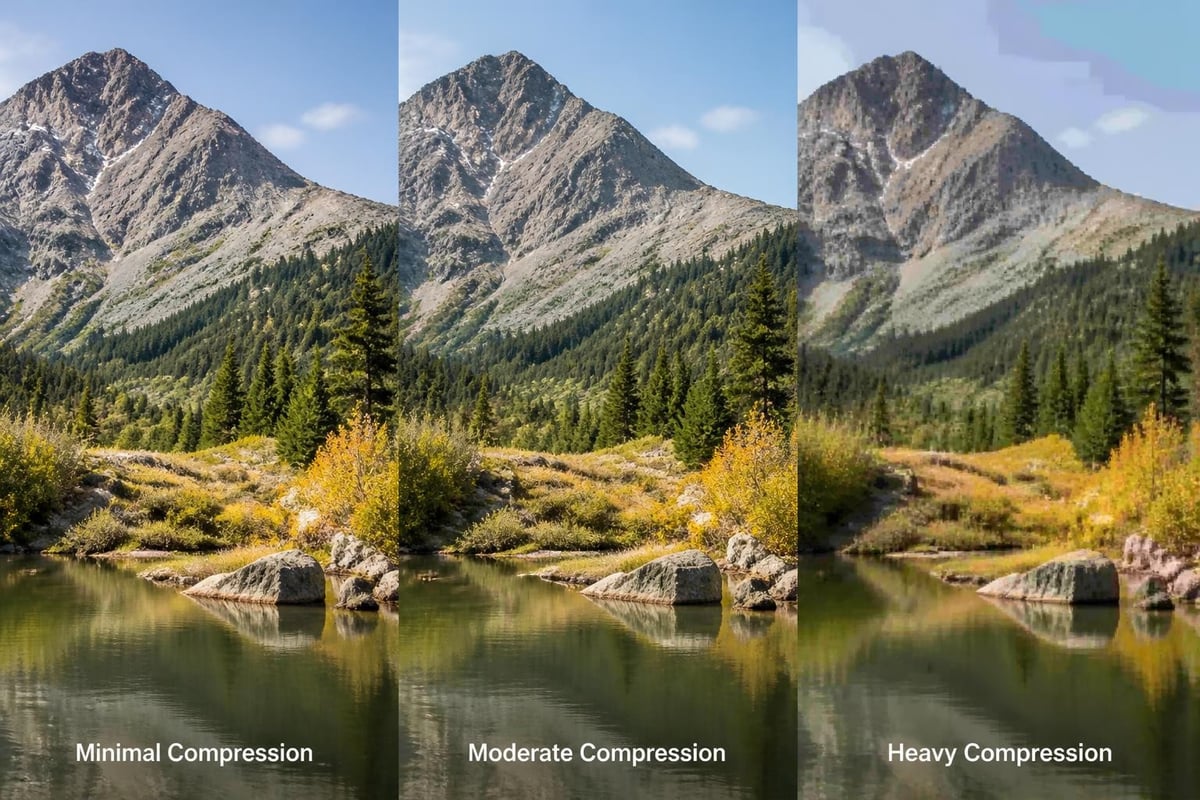
Instagram converts uploaded images to JPEG format regardless of original file type. Understanding this conversion process helps optimize your insta edit photo workflow. Save final edits as high-quality JPEGs (85-95% quality) to balance file size with visual fidelity. Excessive compression introduces artifacts and banding, while minimal compression creates unnecessarily large files.
Color space selection affects how images display across devices. Instagram operates in the sRGB color space, so images edited in wider gamuts like Adobe RGB may appear differently after upload. Converting to sRGB before export ensures consistent appearance matching your editing preview.
Professional Editing Tool Alternatives
While Adobe products dominate professional editing, several alternatives offer compelling features for Instagram content creation. These platforms provide diverse approaches to the insta edit photo process, each with unique strengths suited to different workflows and budgets.
Mac-Centric Editing Solutions
Apple ecosystem users benefit from native editing applications optimized for macOS and iOS. Pixelmator Pro 4 delivers professional-grade editing capabilities with deep system integration, machine learning enhancements, and intuitive interfaces. The application handles complex tasks like layer-based compositing while maintaining the simplicity users expect from Apple software.
These specialized tools often incorporate platform-specific features unavailable in cross-platform applications. Native integration with Photos libraries, iCloud synchronization, and iOS Continuity features create seamless workflows across devices. For photographers invested in Apple's ecosystem, these advantages justify exploring alternatives to industry-standard software.
Comprehensive Creative Suites
Professional designers and photographers sometimes require capabilities beyond photo editing. CorelDRAW Graphics Suite 2025 combines photo editing with vector illustration and page layout tools, serving as a complete creative solution. This integration proves valuable for content creators producing diverse media types from a single platform.
Common Mistakes to Avoid
Even experienced editors make mistakes that undermine their insta edit photo efforts. Understanding these common pitfalls helps you develop workflows that consistently produce high-quality results while avoiding time-consuming corrections.
Over-Processing and Unnatural Results
The most prevalent editing mistake involves excessive adjustment application that creates unnatural-looking images. Overly saturated colors, extreme contrast, aggressive sharpening, and heavy-handed filtering all contribute to artificial appearances that diminish credibility. Instagram audiences have developed sophisticated visual literacy, quickly identifying and dismissing over-processed content.
Maintaining subtlety requires restraint and periodic breaks during editing sessions. Eye fatigue causes editors to gradually increase adjustments beyond appropriate levels. Step away from images periodically, returning with fresh perspective to evaluate whether edits enhance or overwhelm the original content. Professional insights on photo editing mistakes to avoid can help refine your approach and prevent common errors.
Inconsistent Editing Across Content
Visual consistency strengthens brand identity and improves feed aesthetics. Inconsistent editing creates disjointed feeds that confuse followers and weaken brand recognition. This problem often stems from using different editing tools, applying random presets, or neglecting to reference previous posts when editing new content.
Develop systematic workflows that ensure consistency. Create comprehensive style guides documenting your preferred adjustments, maintain organized preset libraries, and regularly review your feed as a cohesive whole rather than individual images. These practices create recognizable visual signatures that distinguish your content in crowded social spaces.
Scaling Your Editing Workflow
As Instagram presence grows, so do editing demands. Successful content creators and businesses eventually face volume challenges that exceed personal capacity. Scaling your insta edit photo workflow requires strategic planning and potentially outsourcing specialized tasks.
Building Efficient Production Systems
High-volume content production demands systematized workflows that minimize decision-making and maximize repeatability. Document your editing processes in detailed step-by-step guides that anyone can follow. Create template files with pre-configured settings, establish naming conventions for organized file management, and implement quality control checkpoints before publishing.
- Capture organization: Standardized folder structures and naming systems
- Initial culling: Rapid selection processes identifying best images
- Batch processing: Preset application across similar images
- Individual refinement: Targeted adjustments for specific images
- Export optimization: Platform-specific sizing and formatting
- Metadata management: Captions, hashtags, and scheduling information
When to Outsource Professional Editing
Volume growth eventually necessitates delegating editing tasks to maintain consistent output without burnout. Professional editing services offer expertise, consistency, and scalability that individual editors cannot match. Outsourcing proves particularly valuable for businesses managing product photography at scale or influencers maintaining multiple daily posts.
Professional retouching providers deliver standardized quality across hundreds or thousands of images while freeing your time for content strategy, shooting, and audience engagement. The investment in professional services often generates positive returns through improved content quality, increased posting frequency, and reduced personal workload.
Tools and Resources for Continuous Improvement
The insta edit photo landscape evolves constantly, with new tools, techniques, and platform features emerging regularly. Staying current requires commitment to ongoing learning and skill development through diverse educational resources.
Online Learning Platforms and Communities
Numerous educational resources support skill development at all levels. Video tutorial platforms offer structured courses on specific editing applications, while YouTube provides free content covering virtually every editing technique imaginable. Photography communities on Reddit, Facebook, and specialized forums facilitate knowledge sharing and peer feedback.
Investing time in education pays dividends through expanded capabilities and improved efficiency. Dedicate regular time to learning new techniques, experimenting with unfamiliar tools, and analyzing work from photographers you admire. This continuous improvement mindset separates advancing creators from those whose skills stagnate.
Staying Updated with Platform Changes
Instagram regularly updates features, algorithm priorities, and technical specifications. These changes impact optimal editing approaches, content formats, and posting strategies. Following official Instagram announcements, industry blogs, and social media marketing resources helps you adapt workflows to platform evolution.
Subscribe to reputable photography and social media marketing publications that cover technical updates and trend analyses. Understanding why certain visual styles gain traction enables you to make informed decisions about whether adopting trends aligns with your brand identity or represents chasing temporary fads.
Mastering the insta edit photo process requires balancing technical skill, creative vision, and efficient workflows that scale with your content demands. By implementing systematic approaches to color correction, developing consistent visual aesthetics, and leveraging both AI tools and professional expertise, you can create compelling Instagram content that engages audiences and supports business objectives. Whether you handle editing in-house or partner with specialists, Photo Editing Company offers comprehensive retouching services designed to elevate your visual content across all platforms, delivering the professional quality your brand deserves with the efficiency your schedule demands.