

Product Photo Editor
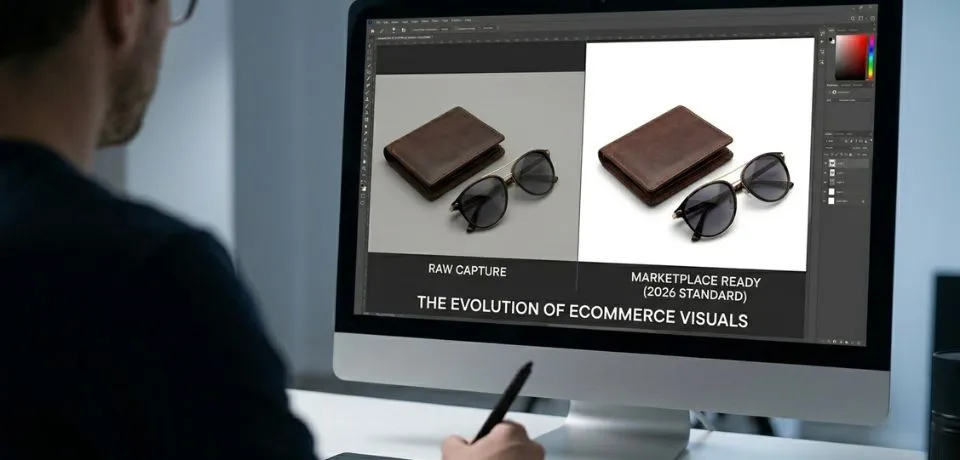
A product photo editor is now more vital than ever because managing product photo editing in 2026 involves a sophisticated blend of AI-driven speed and high-end manual precision. First and foremost, you should consider that the current landscape offers specialized tools to automate the “grunt work” while preserving the fine details that drive conversions. Furthermore, whether you are focusing on jewelry, fashion, or general e-commerce, these methods help you stand out. Consequently, using the right approach will ensure your images look professional and ready for the market.

Improve your images with a professional product photo editor and these quick tips
Product photo editor core AI tools for 2026
- Claid.ai: To begin with, this is currently considered the top choice for e-commerce. In addition, it uses generative AI specifically trained on product shapes. As a result, logos and textures remain intact during background swaps or upscaling.
- Luminar Neo: Similarly, this is the best option for those who want quick enhancements but still need manual control. Moreover, its light depth features are particularly useful for shots that need a quick professional baseline.
- Photoroom: On the other hand, this remains the leader for high-volume mobile editing. Specifically, it is ideal for batch-processing up to 500 images and instantly resizing them for platforms like Amazon or Shopify.
- Nightjar: Finally, this newer player focuses on catalog consistency. By extracting a “visual DNA” from your best shots, it ensures that all future edits match the same lighting and color grade.
High-End Jewelry Retouching
Jewelry requires a different level of precision because of its reflective surfaces. However, you can achieve great results by following these specific steps.
- Focus Stacking: Initially, you should use tools like Helicon Focus or Photoshop’s automated stacking. By doing this, you ensure every facet of a gemstone from the front to the back is in sharp focus.
- Metal Polishing: Subsequently, use the Healing Brush and Clone Stamp to remove micro-scratches caught by macro lenses. Meanwhile, in 2026, specialized AI tools can automate the enhancement of gold and silver luster without losing authentic texture.
- Reflections & Sparkle: Lastly, the Dodge and Burn tools remain industry standards. Therefore, you can manually “paint” light into gems to increase brilliance.

Product photo editor workflow optimization
To maximize efficiency, many professionals are now adopting a hybrid model. In particular, you can follow this structured workflow:
- AI Cleanup: First, use Adobe Firefly or Remove.bg for instant background removal and initial noise reduction.
- Color Accuracy: Following that, use Capture One Pro if you are shooting tethered. Since it offers the most reliable color rendering, it is perfect for fashion and skin tones.
- Final Polish: Eventually, move to Photoshop for pixel-level retouching, such as fixing bad reflections or intricate masking with the Pen Tool.
2026 Trend: Text-to-Edit
Newer tools like Nano Banana 2 and ChatGPT now allow you to describe edits in plain language. For instance, you might say, “Remove the reflection on the left side of the watch.” Thus, this technology can significantly speed up the creative direction phase. Consequently, it makes the entire process much smoother for everyone involved.
CONCLUSION
Great editing is all about making your items look real and clean, so people feel good about buying them. A professional product photo editor can fix small spots and get rid of messy backgrounds in just a few minutes. These quick steps help your shop look much better and can even lead to more sales over time. You do not need expensive gear to get started when you have the right software to help you along the way. Small changes like fixing the colors or smoothing out the metal make a huge difference to your customers.
I would love to hear which part of the editing process is the hardest for you to get right. Do you struggle more with jewelry reflections or getting the background just right? Let me know your thoughts in the comments below, and let’s talk about it.
Read Next: Pros and Cons of Best Photography Studios for Product Shots