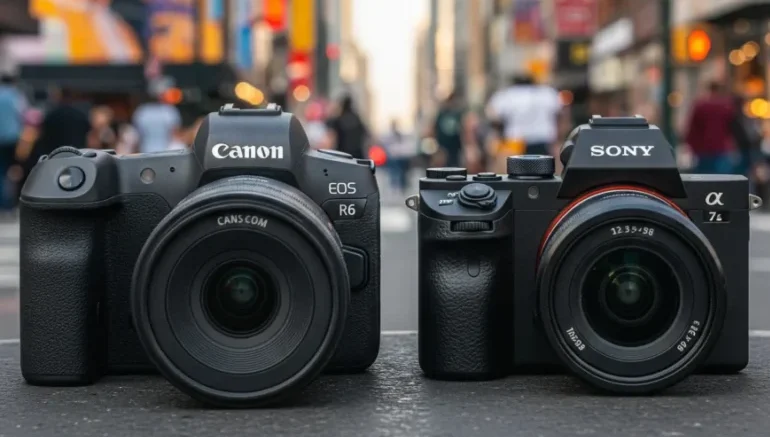
The Ultimate Guide to Canon vs. Sony Stabilization
When it comes to taking sharp and steady shots, Canon vs. Sony stabilization is often the first question photographers and videographers ask. Both brands offer impressive systems designed to reduce blur and keep your footage smooth, if you’re shooting fast action, handheld video, or detailed stills. But choosing between them isn’t always easy. Each system works differently, and the right one depends on your shooting style and what kind of results you want. Knowing the strengths of each can save you time, improve your shots, and make your gear feel like an extension of your creativity.
In this guide, we’ll make Canon vs. Sony stabilization simple to know. You don’t need to worry about complex tech terms or confusing jargon. We’ll show you how each system works, which situations they excel in, and share tips to get the most out of your camera. By the end, you’ll have a clear idea of which brand suits your style and how to make your shots look professional every time. Let’s dive in and explore what makes these stabilization systems stand out.
Know the Types of Stabilization Offered by Canon and Sony
Canon and Sony both offer multiple types of stabilization, each suited to different shooting scenarios. Knowing the differences between these systems will help you pick the right one based on how you like to shoot.
Canon Stabilization
Canon uses Optical Image Stabilization (OIS) and In-Body Image Stabilization (IBIS). OIS is built into the lens and works best for still shots and zoomed-in photography. IBIS moves the sensor inside the camera to reduce motion blur during handheld shooting or video filming.
Sony Stabilization
Sony focuses heavily on IBIS, which is ideal for handheld videos, motion photos, and when you’re on the go. It also uses digital stabilization in certain cameras to smooth out shaky footage further.
Tips to remember
OIS (Canon) – Great for zoom shots and still images.
IBIS (Canon and Sony) – Best for video and handheld motion.
Digital Stabilization (Sony) – Extra smoothness during post-processing for a polished finish.
Both use advanced technologies to keep your shots steady, but they have different approaches to stabilization:
Canon’s Optical Image Stabilization (OIS) – This system is built into the lens and works by compensating for camera shake, especially useful for zoom shots.
Canon’s In-Body Image Stabilization (IBIS) – Available in some models, this system stabilizes the sensor, reducing motion blur when filming handheld.
Sony’s In-Body Image Stabilization (IBIS) – Like Canon, Sony uses IBIS in many of its cameras, but it’s optimized for video and active shots.
Sony’s Digital Stabilization – Available in select cameras, this software-based feature further smooths out footage during or after shooting.
Together, these systems reduce blurriness and ensure your shots look clean and professional.
Canon and Sony offer several stabilization modes tailored to different types of shooting. Switching modes can help you get smoother results depending on your activity. For example, if you’re filming while walking, you might need an extra boost from a digital mode.
Tips to try:
- Use “Active Mode” on Sony for smooth walking or action shots.
- Try “Digital IS” on Canon for vlogging or handheld filming.
- Experiment with different settings to see which one feels smoothest in your hands.
How to Choose the Right Stabilization Mode for Canon and Sony
 Choosing the best stabilization mode depends on your shooting scenario. Here are the key modes and when to use them:
- Still Photos: Use Optical Image Stabilization (OIS) for sharp, detailed zoom shots.
- Walking or Handheld Video: In-Body Image Stabilization (IBIS) reduces shake when you’re moving.
- Extra Smooth Footage: Use digital stabilization to clean up any remaining shake in post-processing.
- Active/Sports Mode: These modes often crop the frame slightly but offer improved stability when you’re moving quickly.
Experiment with different modes to see which one suits your shooting style. Switching modes based on the type of shot you’re going for can make a huge difference.
Choosing the right lens for your Canon or Sony camera is important for stabilizing your shots. Some lenses come with built-in stabilization, which works seamlessly with your camera’s system.
- Canon’s OIS (Optical Image Stabilization): Check for lenses with OIS for extra stability.
- Sony’s OSS (Optical Steady Shot): Look for lenses that include OSS for smoother shots.
When both the camera and the lens are stabilized, it provides a valuable impact in decreasing blur and shake, especially when zooming or filming handheld.
Things to look for:
- Lenses with OIS (Canon) or OSS (Sony).
- Pair lenses with IBIS for the smoothest results.
- Use lightweight lenses to reduce handshake and fatigue.
Use Tripods and Gimbals for Extra Stability
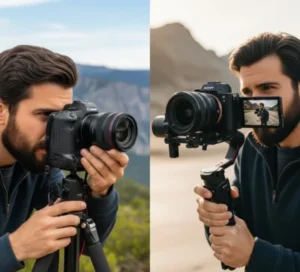 Even with the best Canon vs. Sony Stabilization systems, there are times when additional tools can help keep your shots steady.
- Tripods: These are perfect for keeping your camera completely still during long exposures or slow-motion video.
- Gimbals: For smooth handheld video, a gimbal allows you to move with your subject without introducing shake.
Helpful gear:
- Lightweight tripod for still shots.
- Handheld gimbal for walking or running shots.
- Mini tripods for quick, low-angle shots.
Update Your Firmware and Use Manual Settings for Optimal Performance
 Camera makers often release firmware updates that improve the performance of stabilization systems. Additionally, using manual settings gives you better control over your shot, especially when trying to reduce blur or control shake.
Smart actions:
- Check your Canon or Sony camera menu for updates.
- Use manual ISO and shutter speed to control motion blur.
- Turn off stabilization when using a tripod to avoid unnecessary shakes.
Conclusion
Choosing the right stabilization system can make a big difference in your photos and videos, if you’re using Canon or Sony. Both brands offer strong tools to help you take smooth, sharp shots, but the best choice depends on how you like to shoot. Experimenting with different modes, lenses, and extra gear like tripods or gimbals can really level up your results. Now it’s your turn, what’s your favorite stabilization setup, and which brand do you trust more for steady shots? Share your thoughts in the comments below! Let’s start a conversation and help each other shoot better.
Read Next: Taking Photos with the Best Canon Cameras for Beginners